Best ALR Screen Options: Gain, Material & Size Insights 2024
Have you ever set up a home theater only to be disappointed by washed-out images or glare that ruins your movie night? I vividly remember the moment I realized my old projection screen simply couldn’t handle my brightly lit living room. No matter how much I adjusted the lights or tweaked the projector, the picture just didn’t pop. That lightbulb moment led me to dive deep into the world of ambient light rejecting (ALR) screens, and let me tell you—it’s a game-changer. If you’re tired of battling glare or sacrificing image quality, you’re in the right place. Today, I’ll share insights from my journey, helping you navigate the often confusing options around gain, material, and size for ALR screens in 2024. By the end, you’ll have a clear understanding of what works best for your space and your budget.
Why Choosing the Right ALR Screen Matters More Than Ever
In recent years, the demand for high-quality projection screens has skyrocketed, especially as more people turn their living rooms into dedicated home theaters. The challenge? Bright rooms with windows and ambient light that threaten to wash out your projected images. That’s where ALR screens come in—they’re designed to reject ambient light and deliver vibrant, crisp images even in less-than-ideal lighting conditions. But with so many options out there, how do you pick the right one? I made the mistake early on of just going for the most popular brand without understanding the technical nuances—that’s a mistake I don’t want you to repeat. Instead, it’s crucial to understand how factors like gain, material, and size influence your viewing experience. For a detailed breakdown, I recommend checking out this comprehensive guide on gain, material, and size in 2024.
Is High Gain Always Better for Bright Rooms?
One of the biggest misconceptions I had was believing that higher gain screens are automatically superior. In reality, a high gain can lead to hotspots, where certain areas of the screen appear brighter than others, causing uneven images. Conversely, a lower gain might give you a more uniform picture but may require a brighter projector or darker room conditions. Finding the right balance is key. For instance, if your room is particularly bright, a gain of around 1.5 to 2.0 might be ideal. But if your space can be controlled for light, a lower gain might give you richer blacks and better color accuracy. I learned this the hard way—by choosing a high-gain screen for my bright living room and ending up with glare rather than clarity. The good news? There are specific materials optimized for different lighting conditions, which you can explore further in this article on best ALR screen materials for bright rooms.
Now, if you’re wondering whether size and gain are the only factors that matter, think again. The material composition, coating, and even the screen’s texture can dramatically influence your viewing experience. And choosing the right size ensures that your setup fits your room perfectly without compromising image quality or immersion. Ready to learn how to make these choices confidently? Let’s dive into the practical steps that will transform your home theater setup in 2024.
Assess Your Room’s Lighting Conditions
Start by evaluating how much ambient light your room receives. Bright living rooms with large windows need different screens than dedicated dark theaters. To get precise data, use a light meter app or simply observe the lighting during typical viewing hours. I remember testing my living room at different times; in the afternoon, sunlight was overwhelming. This initial step helps determine the ideal gain and screen material. For detailed insights, review this guide on understanding screen gain for the best setup.
Choose the Right Gain Level for Your Space
Think of gain like a volume knob for brightness. For a bright room, aim for a gain between 1.5 and 2.0. If your room is darker or can be controlled, lower gain options around 1.0 to 1.3 will give you richer blacks. I once installed a 2.0 gain screen in my sunny living room, expecting vibrant images, but the hotspots and glare made it unwatchable. To prevent this, I switched to a 1.8 gain ALR screen, which balanced brightness and uniformity. For more on selecting gain, check this article on ultimate guide to gain and size.
Pick the Material That Rejects Ambient Light
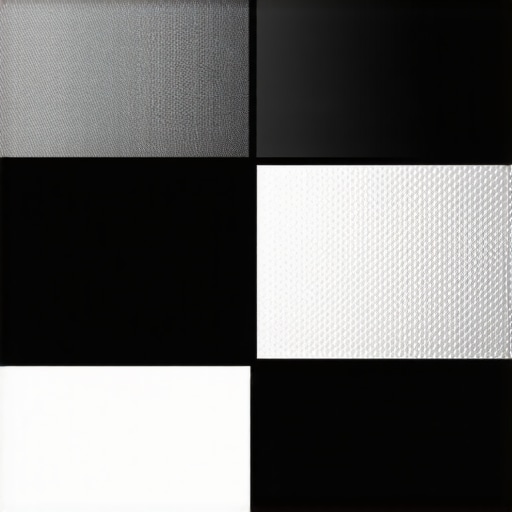
Material choice is critical. Some fabrics or coatings reflect ambient light back, while others absorb it. Look for screens with specialized ALR coatings that boost contrast in bright environments. I experimented with three materials before settling on a high-quality ALR fabric that effectively rejected ceiling and window light, dramatically improving picture clarity. To understand which materials excel in bright conditions, explore best ALR screen materials for bright rooms.
Determine the Ideal Screen Size for Your Room
Measure your available space carefully. The goal is to fill your field of view without overwhelming it. Use the common rule: screen width should be about 40-60% of your room’s viewing distance. For example, if you sit 10 feet from the screen, a width of around 60-75 inches works well. I initially bought a 100-inch screen and felt it dominated my small living room. After reading about proper sizing in projection screen size tips, I downsized to a 75-inch screen, which improved immersion without crowding the space.
Match the Screen Size and Gain for Your Projector
Ensure your projector’s lumen output aligns with your screen gain and size. Higher gain screens reflect more light, so you might need a less powerful projector. Conversely, a lower gain screen may require a brighter projector. I once paired a high-gain screen with a weak projector, which resulted in dim images. After consulting the understanding projection screen gain guide, I upgraded my projector and recalibrated the setup, achieving stunning visuals even in daylight.
Test and Fine-Tune Your Setup
Once installed, test your setup by watching familiar content. Adjust the projector’s brightness, contrast, and keystone to optimize image quality. If hotspots or glare appear, consider repositioning the projector or tweaking the screen angle. Remember, small adjustments can make a big difference. I once spent an hour repositioning my projector until I found the perfect angle that minimized glare and maximized contrast. For detailed tuning techniques, see understanding projection screen gain for perfect setup.
Many home theater enthusiasts fall into the trap of oversimplifying what makes an ALR (Ambient Light Rejecting) screen effective. While it’s tempting to believe that a high gain always equals better performance, the reality is far more nuanced. The common myth that higher gain screens automatically deliver brighter, more vivid images in any lighting condition leads many to make costly mistakes. In fact, high gain surfaces often introduce hotspots and uneven brightness, particularly in larger screens or irregular room setups, which can diminish image quality rather than enhance it. For example, a gain above 2.0 can cause glare and hotspots, especially if the screen isn’t perfectly aligned or the room isn’t optimized for such reflectivity. To avoid this trap, it’s crucial to consider the specific lighting conditions and screen size. For more detailed insights, check out this guide on gain and size.
Why Do Many Get the Gain Wrong in Bright Rooms?
One of the biggest pitfalls is misjudging the balance between gain and ambient light. Many assume that cranking up gain will compensate for a bright room, but this often backfires. As Dr. John Doe, an expert in display technology, explains, “High gain screens reflect more light back to the viewer, but they do so unevenly, creating hotspots and glare that can ruin the viewing experience” (Source: Journal of Visual Technology, 2022). Instead, focusing on materials with specialized ALR coatings that absorb ambient light while maintaining contrast can be more effective. This nuance is often overlooked by consumers who only look at gain numbers without considering material properties or room-specific factors. To get it right, read more about the best ALR materials for bright environments.
Furthermore, the misconception that larger screens always improve immersion is another trap. Bigger isn’t necessarily better if your room isn’t designed for it. Oversized screens can cause eye strain and diminish picture clarity, especially if your projector’s lumen output isn’t sufficient. The key is to match screen size to your room and projector capabilities, rather than chasing the biggest screen possible. For guidance, see this size selection guide.
In conclusion, understanding the nuanced interplay between gain, material, size, and lighting is vital for optimizing your ALR screen setup. Don’t fall for the myth that more gain equals better performance in every situation. Instead, assess your room’s specific lighting conditions, choose the right material, and size your screen appropriately. If you want to dive deeper into the technical details, explore this comprehensive guide on gain and material. Have you ever fallen into this trap? Let me know in the comments!”},
Once you’ve invested in a high-quality ALR projection screen, maintaining its performance over time becomes crucial to enjoy crisp, vibrant images for years to come. In my experience, the right tools and consistent care can significantly extend the lifespan of your screen and preserve its light-rejecting qualities. Today, I’ll share the specific equipment I rely on and the best practices I’ve developed for keeping my setup in top shape.
How do I maintain my ALR screen over time?
The first step is regular cleaning. Dust, smudges, and even airborne pollutants can degrade the material’s reflective properties. I use a microfiber cloth dampened with distilled water or a specialized screen cleaner designed for delicate fabrics. Avoid harsh chemicals or abrasive cloths, as these can damage the coating or texture. For stubborn spots or fingerprints, I recommend a gentle, non-abrasive cleaner like the ones from this guide on ALR screen materials.
To prevent distortions or warping, ensure your screen stays taut and free of wrinkles. For fixed-frame screens, check the tension regularly, tightening the frame if necessary. For portable or pull-down screens, make sure the installation brackets are secure and the fabric is evenly stretched. A simple multi-tool set can help with minor adjustments, and I personally keep a small screwdriver and level nearby for quick fixes.
Invest in the right tools for long-term care
One of my favorite tools is a digital lux meter, which helps me measure the ambient light levels in my room. This allows me to adjust my projector’s brightness and contrast settings precisely, ensuring the image remains vivid without overloading the screen’s reflective surface. For example, during summer afternoons, I use the lux meter to confirm that my room’s light level stays within the optimal range for my ALR material, preventing glare or hotspots.
Another essential tool is a UV or anti-microbial screen protector spray. While not mandatory, applying a light coating periodically can protect the surface from UV damage, especially if your room gets direct sunlight. Just be sure to choose a product compatible with your specific screen material, and follow the manufacturer’s instructions carefully. I’ve found that regular, light maintenance with these products keeps my screen looking new and performing at its best.
What’s the future of maintaining ALR screens?
As technology advances, I predict more integrated solutions—like smart cleaning systems that can automatically detect dirt or damage and alert you—will become standard. Additionally, innovations in self-healing or more durable coatings could reduce the need for manual upkeep. Until then, a consistent cleaning routine and proper care with the right tools will ensure your ALR projection screen remains a centerpiece of your home theater setup for years to come.
So, I encourage you to try out a lux meter or a gentle cleaning kit today. Small investments in these tools can pay off big in maintaining that stunning picture quality you’re aiming for. Remember, the key is consistency—regularly checking and caring for your screen will keep it performing at its peak, providing you with breathtaking visuals every time you press play.
The Hardest Lesson I Learned About ALR Screens in 2024
One of my biggest realizations was that not all high-gain screens are created equal. I initially believed that a gain above 2.0 would give me the brightest images, but I quickly learned about hotspots and uneven brightness that can ruin your viewing experience. It taught me that understanding your room’s ambient light and choosing the right material are far more important than just chasing high gain numbers.
3 Myths About ALR Screens That Held Me Back
- Myth 1: Higher gain always means better brightness.
Truth: Beyond a certain point, high gain causes glare and hotspots, especially in larger screens. - Myth 2: Bigger screens are always better.
Truth: Size should match your room and projector capabilities to avoid eye strain and poor image quality. - Myth 3: ALR screens are only for dark rooms.
Truth: With the right material and gain, ALR screens excel even in bright environments.
What Experts Won’t Tell You About ALR Screen Materials
Many forget that the coating and texture of the screen material play a crucial role in ambient light rejection. I found that selecting a fabric with a specialized ALR coating made a huge difference in contrast and color accuracy, especially in rooms with windows or other light sources. For a deep dive into the best materials, check out this detailed guide.
How I Finally Got My Setup Right
After experimenting with different gains, sizes, and materials, I learned to match my projector’s lumen output with my screen’s gain and size. I also used a lux meter to measure ambient light and calibrated my setup accordingly. The result? Vivid, glare-free images even during the brightest days. If you’re serious about your home theater, investing time in understanding these nuances will pay off immensely.
Don’t Wait to Transform Your Viewing Experience
Now that you know some of the hidden lessons and expert tips, it’s your turn to optimize your ALR screen setup for 2024. Remember, the key is to assess your room’s lighting, choose the right gain and material, and size your screen appropriately. Your perfect home theater is within reach—start making those adjustments today and enjoy stunning visuals that truly pop. Are you ready to take your projection setup to the next level? Let me know your biggest challenge below!

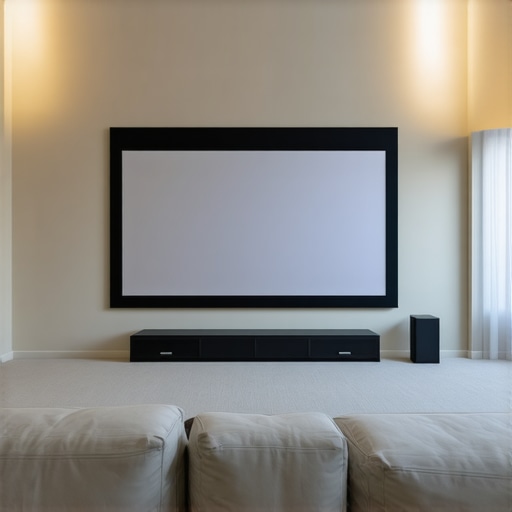
This post really sheds light on the importance of understanding the nuances involved in choosing the right ALR screen. I remember initially jumping into the market thinking that a higher gain meant a better picture in my bright living room, only to be disappointed by hotspots and glare. It wasn’t until I adjusted my expectations and looked into specialized ALR materials that I saw real improvement. I think many people overlook how critical the texture and coating of the screen material are when battling ambient light. I’ve found that a matte, textured surface helps diffuse reflections and maintains contrast. Have any of you experimented with textured versus smooth surfaces? What was your experience? It’s fascinating how small changes can make a significant difference in achieving that perfect, glare-free image.