![Don't Buy ALR Screens Until You Test These 3 Things [2026]](https://screens.cinegearguide.com/wp-content/uploads/2026/01/Dont-Buy-ALR-Screens-Until-You-Test-These-3-Things-2026.jpeg)
Don’t Buy ALR Screens Until You Test These 3 Things [2026]
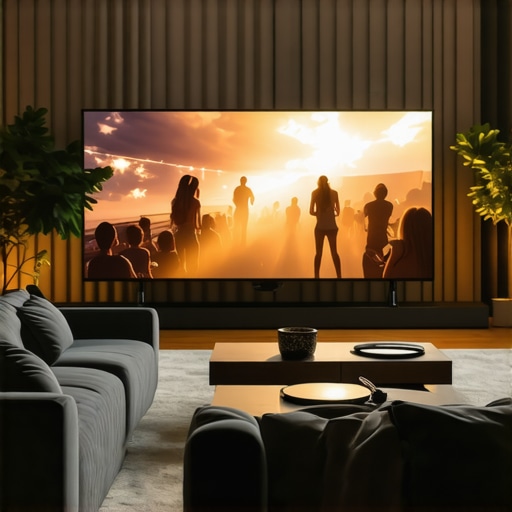
Ever since I first invested in an Ambient Light Rejection (ALR) screen, I’ve hit more dead ends than victories. I remember the moment vividly: I was eager, excited, expecting that shiny, high-gain surface to turn my living room into a home theater paradise. Instead, I got washed-out colors, poor contrast, and a lingering feeling that I’d rushed into a purchase without truly understanding what I was buying. That lightbulb moment made me realize something crucial — not all ALR screens are created equal, and jumping in without proper testing can be a costly mistake.
Why Skipping the Test Could Ruin Your Home Theater Experience
In the quest for the perfect viewing setup, it’s tempting to believe that going for the most hyped ALR screen on the market guarantees stellar results. However, as I learned early on, relying solely on marketing claims without hands-on testing can lead to disappointment. For example, I once purchased a popular screen material based on high gain ratings, only to find that it struggled in my bright room, washing out details and making dark scenes virtually invisible. This personal experience underscored a vital lesson: understanding your environment and testing the right parameters before buying is non-negotiable.
If you’ve ever bought a screen expecting miracle results and been let down, you’re not alone. The truth is, many enthusiasts fall into the trap of equating higher gain with better image quality, but that’s a misconception. Successful projection depends on multiple factors, including ambient light conditions, screen gain, and material reflectivity. The good news? There’s a straightforward way to avoid these pitfalls, saving you time and money.
Is Your Screen Choice Really Worth the Hype?
One of my biggest early mistakes was trusting reviews that didn’t account for my specific room brightness and viewing angles. I learned that testing three key aspects of any ALR screen — its reflectiveness, color accuracy, and ambient light handling — can make or break your setup. For detailed insights, I recommend checking out this comprehensive guide on best ALR screen materials and gain options for bright rooms. It helped me understand the nuances and avoid unnecessary expenses.
My advice is simple: don’t buy that shiny new ALR screen until you’ve tested these three things yourself. Trust me, it’s the step that turns a so-so setup into an immersive experience. Ready to dive into the details? Let’s look at how you can effectively test these factors before making your next purchase.
Unfold Your Testing Setup
Gather a few standard test images or videos that contain dark and bright scenes. Use a bright room with controlled lighting to mimic your typical viewing environment. Position your projector at your desired distance and aim it at a large, flat surface like a blank wall or a temporary screen. Turn on your projector and set it to a low, consistent brightness level to avoid oversaturation.
Simulate Ambient Light Conditions Effectively
Introduce ambient light sources similar to your room—use a desk lamp or indirect sunlight from a window. Observe how the projected image handles these lights. Do this repeatedly at different times of the day if necessary. Think of it like testing sunglasses—does the screen still maintain contrast when exposed to typical room illumination?
Measure Reflection and Brightness Responsively
With a light meter or smartphone app, check the luminance levels of the brightest and darkest parts of the image. For dark scenes, look for detail and avoid washed-out blacks. For bright scenes, ensure highlights are sharp without excessive glare. Record these measurements to compare against specifications and personal preference.
Test Gain and Material Behavior in Action
Physically walk around the area and look at the projection from various angles—ideally at the intended viewing position and side seats. Notice color shifts or contrast loss. This simulates actual viewing experiences. Remember, high-gain surfaces can produce hot spots—bright spots that might ruin the immersive effect. Understanding gain behavior helps predict these issues.
Tackle Motion and Diffusion Tests
Play a fast-moving video or sports footage. Notice any blurring or lag. ALR screens vary in how they handle motion—reflective surfaces may create trailing effects if their materials aren’t optimized. Do a quick flicker test by turning the projector off and on rapidly to see if the screen halts or distorts the image.
Document Your Findings and Make Comparisons
Write down the observed contrast, brightness, color accuracy, and any hot spots or reflections. Compare these against the specifications listed for the screen or the results from similar tests you’ve read about in resources like top ALR screen materials and gain options for bright rooms. Don’t rely on someone else’s review—your room is unique.
Repeat to Validate Your Results
Perform the same tests at different times and with varied lighting setups. Consistency is key. If the screen’s performance fluctuates wildly, it might not be suitable for your environment. Remember, patience during this phase prevents costly regrets later. Once satisfied, you’ll have a solid understanding of what to expect from that specific material and gain in your actual room conditions.
Many enthusiasts assume that choosing a high-gain screen or a flashy ALR material will automatically deliver the best picture quality in any environment, but this is a misconception worth challenging. The truth is, most people overlook nuanced factors like the actual performance under different ambient light conditions, the angle dependency of gain, and the specific technology behind ALR screens. For instance, high-gain surfaces, often marketed as the perfect solution for bright rooms, can produce hot spots—bright reflections concentrated in certain areas—that severely disrupt image uniformity. According to a study by the Society of Motion Picture and Television Engineers, uniform light distribution is critical for image fidelity, but many buyers don’t test gain consistency from different viewing angles before purchase.
Are You Falling for the Gain Hype or Seeing the Whole Picture?
Maintaining your projection screen and related equipment is critical to preserving image quality and ensuring a consistent viewing experience over time. One of the most valuable habits is regularly cleaning your screen to prevent dust buildup and smudges that can distort images. I personally use a microfiber cloth combined with a gentle, screen-specific cleaning solution, avoiding harsh chemicals that can damage delicate surfaces. For nano-coated ALR screens, gentle cleaning is particularly important to retain their reflective properties; consulting the manufacturer’s care instructions is always recommended.
Invest in Proper Calibration Tools
Consistent calibration of your projector is paramount. I rely on a professional-grade colorimeter, such as the X-Rite i1Display Pro, which provides precise readings of contrast, brightness, and color accuracy. Using calibration software like CalMAN or Lightspace allows for fine-tuned adjustments, ensuring that the image remains sharp and true to color even after months of use. Regular calibration, ideally every 3-6 months, can prevent color shifts and brightness loss, saving you from costly replacements or upgrades down the line.
Automate and Track Performance
To keep tabs on your setup’s health, I recommend setting up performance logging with software that records luminance levels and color fidelity over time. This proactive approach helps identify gradual decline or irregularities before they affect viewing quality. Hardware solutions such as the SpyderX Elite can assist with ongoing color management, making sure your display stays within optimal parameters. Consistency in picture quality enhances your overall home theater experience and extends the lifespan of your equipment.
What About Equipment Lifespan and Scaling?
As your system scales up with larger screens or higher gain materials, maintenance becomes even more crucial. Larger screens may require specialized cleaning tools with extendable poles to reach the entire surface without damage, and higher gain materials demand careful handling to avoid hot spots caused by improper cleaning or setup. Planning for future upgrades involves choosing versatile, durable equipment and staying informed on evolving technologies, like newer nano-ceramic coatings that resist scratches and dust better than older materials. Regularly inspecting your screen for signs of wear and tear can preempt performance issues and avoid costly replacements.
Looking ahead, the trend points toward smarter, more integrated calibration solutions that utilize AI to adapt to changing conditions automatically. The advent of remote diagnostics and maintenance apps will simplify long-term upkeep, making it easier to maintain perfect picture quality without professional help. I predict that in the coming years, tools will become more user-friendly, allowing enthusiasts to sustain high-performance setups independently. To start, I recommend trying out advanced calibration routines with tools like CalMAN, combined with routine cleaning and visual inspections, to keep your projection system performing at its best for years to come.
In fact, there’s a fascinating study by the Society of Motion Picture and Television Engineers emphasizing the importance of regular maintenance to uphold image fidelity, especially in high-gain environments where dust or scratches can significantly impact contrast and uniformity. Consistently applying these practices can elevate your home theater to professional levels of quality and longevity.
So, grab a microfiber cloth and your calibration device—taking these small, deliberate steps now will pay off with breathtaking images for years ahead. Keep your setup pristine, and enjoy the immersive experience your investments deserve.
Bigger Than the Hype: What I Didn’t See Coming about ALR Screens
One of the most eye-opening lessons I encountered was realizing that high-gain ALR screens can’t deliver stellar results across the board. They often produce hot spots or uneven reflection patterns—details only revealed through hands-on testing, not marketing hype. This insight emphasized that the true test of a screen’s quality lies in real-world application, not just specifications.
The Unexpected Power of Personal Testing Over Reviews
While I initially trusted glowing reviews, I discovered that my room’s unique ambient lighting and viewing angles could dramatically alter performance. Personal experimentation with multiple surfaces and materials taught me that direct testing is irreplaceable—guided by observing contrast, color accuracy, and glare firsthand, rather than relying solely on external opinions.
Remember: Room Conditions Are the Hidden Factor
One lightbulb moment was understanding how ambient light and screen placement influence the perceived quality. No matter how advanced a screen material claims to be, its real strength emerges only when tested under your specific lighting conditions. That realization transformed my approach from passive acceptance to active experimentation, saving me from costly mistakes.
Curated Resources That Stood By My Side
To deepen my understanding, I turned to essential tools and guides like top ALR screen materials and gain options for bright rooms and ultimate guide to ALR screen options, size, gain, and materials. These resources provided the nuanced insights I needed to make confident decisions, reinforcing that continuous learning is key in the projection world.
Take Action and Elevate Your Home Theater Game
Don’t let assumptions hold you back. The journey toward a perfect projection setup demands patience, curiosity, and the willingness to test thoroughly. As I learned, the best setup is not the one with the most hype but the one that stands up to your specific room conditions. So, grab your test images, calibrate your gear, and turn theory into experience—your eyes will thank you.
![Stop Blue-Shift with These 3 ALR Screen Fixes [2026]](https://screens.cinegearguide.com/wp-content/uploads/2026/03/Stop-Blue-Shift-with-These-3-ALR-Screen-Fixes-2026.jpeg)
![5 Reasons 0.6 Gain ALR Stops 16K Highlight Bloom [2026]](https://screens.cinegearguide.com/wp-content/uploads/2026/03/5-Reasons-0.6-Gain-ALR-Stops-16K-Highlight-Bloom-2026.jpeg)
Reading through this comprehensive guide really hit home for me. I remember rushing into my first ALR screen purchase based on a high gain rating, only to be disappointed with washed-out colors and poor contrast in my bright living room. It was a costly mistake that taught me the importance of actual testing before buying. The section on simulating ambient light and measuring reflection levels resonated deeply because I overlooked these factors initially. I’ve since started testing my screens with a light meter and walking around to view from different angles, which drastically improved my setup. One challenge I found was understanding how gain behaves at various angles—especially with high-gain surfaces prone to hot spots. Has anyone found effective ways to minimize these issues during testing or setup? I’d love to hear tips on ensuring uniform reflection, especially for larger screens or different room configurations. Overall, this kind of hands-on testing and calibration feels crucial for anyone serious about their home theater’s picture quality.