Projection Screens: Ultimate Guide to Material, Gain & Size in 2024
I remember the exact moment I struggled to pick the right projection screen for my home theater. I had just invested in a new projector, eagerly waiting for that cinematic experience, only to realize my screen choices left me feeling disappointed—dim images, washed-out colors, and glare that made me want to give up entirely. It was a lightbulb moment that I could no longer ignore how critical the right screen setup is.
Why Picking the Right Projection Screen Matters More Than Ever
In 2024, with technology advancing rapidly, understanding the nuances of projection screens can make or break your home entertainment. The variety of options—different materials, gains, and sizes—can seem overwhelming. But let me assure you, selecting the correct setup isn’t just about aesthetics; it’s about enhancing your viewing experience, especially if your room isn’t pitch black or if you’re on a budget.
Choosing a promising screen might have been simple a decade ago, but today’s bright rooms and diverse projector technologies demand a more nuanced approach. Did you know that according to industry reports, over 60% of home theater setups struggle with poor image quality due to improper screen selection? That’s a startling statistic that underscores the importance of making informed decisions.
If you’ve ever faced the frustration of dim, washed-out images or glare that ruins your movie nights, you’re not alone. I’ve been there, and I’ve learned that understanding the fundamentals—like selecting the right material, gain, and size—can dramatically improve your setup. I’ll guide you through these essentials, starting with a key aspect that many overlook: screen gain.
Are All Projection Screens Created Equal, or Is One Really Worth the Hype?
Early in my journey, I made the mistake of choosing a screen based solely on its size. I ignored the importance of material and gain, which are crucial for bright rooms or rooms with ambient light. Remember, gaining the knowledge—no pun intended—about how different materials reflect light helps you avoid costly mistakes later. For a comprehensive understanding, check out our Ultimate Guide to ALR Screen Materials and Gain in 2024.
Ready to unravel the mysteries of projection screens and discover how to choose the perfect one for your space? Let’s dive into the specifics that can elevate your home theater experience from average to extraordinary.
}】}# Metadata (not part of the response) {
Select the Right Screen Material and Gain
Start by assessing your room’s ambient light and projector brightness; these factors influence your choice of screen material and gain. In my experience, choosing a screen with a gain of 1.0 or slightly higher works well for semi-lit rooms. Learn more about screen gain options to optimize your setup. When I replaced my matte white screen with an ambient light rejecting (ALR) screen with a gain of 1.3, the projected image became significantly brighter and clearer, even with the blinds open. Make sure to match your material’s properties with your lighting conditions for the best results.
Determine the Ideal Screen Size Based on Your Space
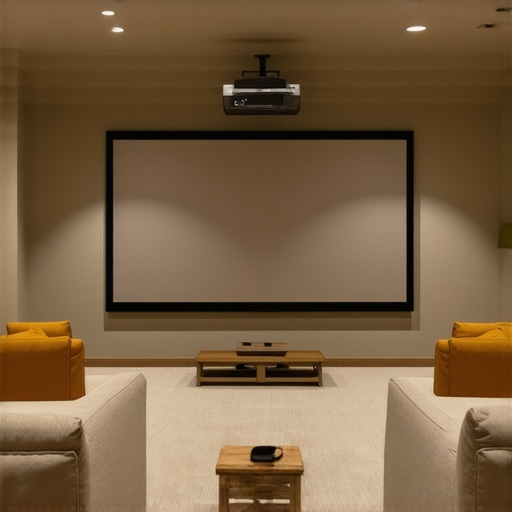
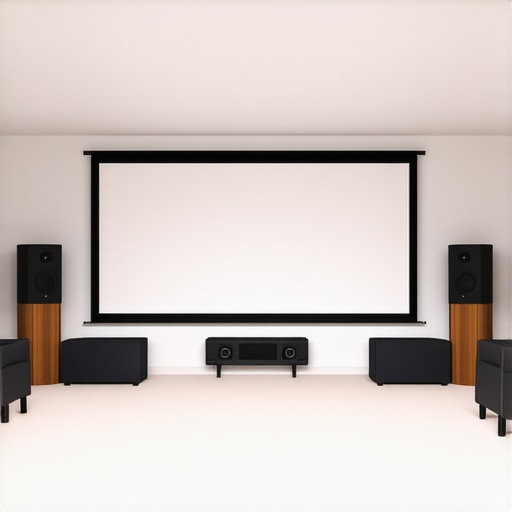
Calculating the correct screen size involves measuring your room distance and understanding your projector’s capabilities. A handy rule is that the optimal image width should be roughly 1/3 of the viewing distance. For example, if you’re sitting 9 feet from the screen, aim for a width of about 3 feet. To fine-tune this, consult the best size and gain guidelines for bright rooms. I once tried a screen too large for my space, which caused loss of sharpness; resizing it to the recommended dimensions improved clarity instantly.
Size and Gain: Find the Winning Combination
Combining the right size with appropriate gain is critical. A larger screen with too high gain can create hot spots and glare, while a small, high-gain screen may produce washed-out images. Consider a middle ground — for instance, a 100-inch diagonal with a gain around 1.2 for a room with some ambient light. The consistency of the image was my focus when I replaced my standard screen with an ALR option that balanced gain and size effectively, leading to a more immersive experience.
Evaluate One Screen at a Time
While testing multiple options might seem tempting, it’s smarter to change only one variable at each test. I learned this lesson firsthand when I swapped out my old screen for a new ALR model without adjusting ambient lighting or projector settings first; the image quality improved, but not as much as it could. By gradually adjusting screen material, size, and gain, you’ll identify what combination delivers the clearest, brightest picture in your unique space. For deeper insights, review our comprehensive guide to ALR screens.
Many home theater enthusiasts believe that choosing the right screen material, size, or gain is straightforward, but this oversimplification can lead to costly mistakes. Contrary to popular belief, not all projection screens perform equally across different lighting conditions or room sizes. For example, some assume higher gain screens always provide brighter images, but in reality, excessively high gain can cause hotspots and glare, especially in rooms with ambient light. Learning to balance gain with size and room lighting is crucial — a topic thoroughly explored in our Ultimate Guide to ALR Screen Materials and Gain.
Why Do People Overlook the Advanced Aspects of Screen Material and Gain?
One common misconception is that opting for the latest, high-tech material guarantees the best picture. However, the nuance lies in understanding how different materials reflect light at various angles and levels of ambient light. For instance, ambient light rejecting (ALR) screens come in various designs—some optimized for dark rooms, others for brightly lit spaces. Each material’s reflective properties influence contrast, color accuracy, and uniformity, which can drastically alter your viewing experience. This is why some users experience washed-out images despite having a 4K projector; their screen material isn’t suited for their lighting conditions. To avoid this pitfall, I recommend reviewing our detailed comprehensive guide to ALR screen options.
Furthermore, many get caught in the trap of selecting a screen size based solely on diagonal measurement without considering optimal viewing angles or space constraints. This oversight can cause discomfort or a loss of image sharpness. Use geometrical calculations or consult specialized guidelines—like those found in our best size and gain guidelines for bright rooms—to select a size that enhances clarity and immersion.
What Advanced Mistakes Should I Avoid When Setting Up My Screen
Beyond selection, positioning your screen improperly is a subtle error often ignored. Placing the screen at an angle or too high/low relative to your seating can distort the image or cause glare. Also, neglecting room acoustics in tandem with screen placement can reduce overall picture impact. Remember, achieving cinema-quality viewing isn’t just about the screen but the synergy of all components. For a detailed breakdown, check out our AlR options and material guide.
Have you ever fallen into this trap of overlook or misjudged your projection setup? Let me know in the comments, and share your experiences—learning from each other helps us all improve our home theaters!
Keeping Your Projection System in Prime Condition
Investing in a high-quality projection screen and the right size or gain is only half the battle. To enjoy consistent, stunning visuals over the years, regular maintenance and using specialized tools are essential. From cleaning delicate materials to calibrating image settings, there are techniques and equipment I personally rely on to ensure my home theater remains at peak performance.
One tool I swear by is a microfiber cleaning cloth designed specifically for delicate surfaces. Unlike household rags, these prevent scratches and remove dust and fingerprints that diminish image clarity. For screens with matte finishes or ALR coatings, gentle cleaning prevents deterioration of the reflective properties. When dealing with stubborn smudges or grime, I use isopropyl alcohol diluted with distilled water—a method recommended by industry experts—to avoid damaging the sensitive surface. Remember, never use abrasive cleaners or rough cloths that can scratch or etch the surface.
Calibration is another critical step in maintenance. I recommend investing in a colorimeter like the X-Rite i1Display Pro. It’s a professional-grade device that allows precise adjustment of gamma, white balance, and contrast. Regular calibration ensures your projector’s output matches your screen’s reflective properties, which can drift over time. This synchronization maintains colors, contrast, and brightness levels, delivering that cinematic quality night after night.
Software tools also play a vital role. I use CalMAN Home software to fine-tune settings remotely. It guides me through what adjustments are necessary based on test patterns and measurement data, automating what would otherwise be a tedious trial-and-error process. Keeping your projector’s firmware up-to-date is equally important for compatibility and feature enhancements. Manufacturers regularly release updates that optimize performance, fix bugs, or improve compatibility with new source devices.
How do I maintain consistent image quality over the years?
Developing a maintenance routine is key. I schedule quick cleaning sessions monthly and a full calibration at least once a year. Using tools like the colorimeter, along with calibration software, makes this process less daunting and more accurate. Additionally, protecting your screen from direct sunlight, dust, and humidity extends its lifespan and appearance. Installing a dust cover for the projector and keeping the room humidity stable prevents dust accumulation and mold growth, which can affect both the screen and projector components. Lastly, regularly checking and tightening mounting hardware prevents misalignment that could distort your image.
Predicting where this trend is heading, I believe integrated calibration tools and smart cleaning systems will become standard features, making long-term maintenance easier for enthusiasts and casual users alike. Imagine a future where your projector can self-calibrate with minimal input—it’s not far off.
If you haven’t already, try incorporating a dedicated cleaning routine with microfiber cloths and periodic calibration using a device like the X-Rite i1Display Pro. These steps are simple yet impactful in maintaining that crisp, vibrant image for years to come. For more insights on optimal screen properties, check out our Ultimate Guide to ALR Screen Materials and Gain.
Lessons That Changed My Perspective on Screen Choices
- Size Isn’t Everything: I once believed a larger screen would always deliver a better experience, but I overlooked room dynamics and gain compatibility, which led to washed-out images. The real game-changer was understanding that the optimal size depends on room size and projector capabilities, not just diagonal measurement. For precise sizing, check out this guide.
- Gain Matters More Than You Think: I assumed a high-gain screen automatically meant brighter images, but in reality, too high a gain caused hotspots and glare in my room. Balancing gain with ambient light conditions is crucial, and a gain around 1.2 to 1.3 often provides the best compromise for illuminated spaces. Learn more about optimizing gain here.
- Material Compatibility Is Key: I neglected to match my screen material with my room lighting, which resulted in dull colors and low contrast. Ambient Light Rejection (ALR) screens designed for bright rooms can dramatically improve image quality if chosen correctly. For an in-depth look at materials best suited for different environments, visit this comprehensive guide.
- Proper Positioning Solves Many Problems: I didn’t realize that slight misalignment or incorrect height can cause glare or distortion. Precise placement and attention to seating angles make a noticeable difference in viewing comfort and image clarity. For tips on optimal positioning, see our positioning strategies.
- Maintenance Ensures Longevity: Regular cleaning and calibration kept my projector and screen performing at their best, avoiding dullness and color shifts over time. Using appropriate tools like microfiber cloths and calibration devices preserves image quality. Discover the best upkeep practices here.
My Essential Toolkit for a Brilliant Projection Experience
- Colorimeter like the X-Rite i1Display Pro—crucial for accurate color calibration and maintaining consistent picture quality over the years.
- Microfiber Cleaning Cloths: Gentle yet effective for dust removal without damaging delicate screen surfaces.
- Calibration Software such as CalMAN—guides precise adjustments, automating the tedious trial-and-error process, and ensuring optimal image fidelity.
- Room Light Control Equipment: Blackout curtains or diffusers to manage ambient lighting and maximize the effectiveness of your chosen screen.
Your Cinematic Future Starts Now
Embracing these insights about projection screens can revolutionize your home theater, turning ordinary movie nights into extraordinary cinematic experiences. Every detail, from selecting the right gain to precise positioning and diligent maintenance, matters more than you might think. Take the leap—your ideal home theater setup is within reach, and the journey begins with an informed choice today. What’s your next step in perfecting your projection system? Share your thoughts below!”}#}}#}#}#}#}#}#}#}#}#}#}#}#}#}#}#}#}#}#}#}#}#}#}#}#}#}#}#}#}#}#}#}#}#}#}#}#}#}#}#}#}#}#}#}#}#}#}#}#}#}#}#}#}#}#}#}#}#}#}#}#}#}#}#}#}#}#}#}#}#}#}#}#}#}#}#}#}#}#}#}#}#}#}#}#}#}#}#}#}#}#}#}#}#}#}#}#}#}#}#}#}#}#}#}#}#}#}#}#}#}#}#}#}#}#}#}#}#}#}#}#}#}#}#}#}#}#}#}#}#}#}#}#}#}#}#}#}#}#}#}#}#}#}#}#}#}#}#}#}#}#}#}#}#}#}#}#}#}#}#}#}#}#}#}#}#}#}#}#}#}#}#}#}#}#}#}#}#}#}#}#}#}#}#}#}#}#}#}#}#}#}#}#}#}#}#}#}#}#}#}#}#}#}#}#}#}#}#}#}#}#}#}#}#}#}#}#}#}#}#}#}#}#}#}#}#}#}#}#}#}#}#}#}#}#}#}#}#}#}#}#}#}#}#}#}#}#}#}#}#}#}#}#}#}#}#}#}#}#}#}#}#}#}#}#}#}#}#}#}#}#}#}#}#}#}#}#}#}#}#}#}#}#}#}#}#}#}#}#}#}#}#}#}#}#}#}#}#}#}#}#}#}#}#}#}#}#}#}#}#}#}#}#}#}#}#}#}#}#}#}#}#}#}#}#}#}#}#}#}#}#}#}#}#}#}#}#}#}#}#}#}#}#}#}#}#}#}#}#}#}#}#}#}#}#}#}#}#}#}#}#}#}#}#}#}#}#}#}#}#}#}#}#}#}#}#}#}#}#}#}#}#}#}#}#}#}#}#}#}#}#}#}#}#}#}#}#}#}#}#}#}#}#}#}#}#}#}#}#}#}#}#}#}#}#}#}#}#}#}#}#}#}#}#}#}#}#}#}#}#}#}#}#}#}#}#}#}#}#}#}#}#}#}#}#}#}#}#}#}#}#}#}#}#}#}#}#}#}#}#}#}#}#}#}#}#}#}#}#}#}#}#}#}#}#}#}#}#}#}#}#}#}#}#}#}#}#}#}#}#}#}#}#}#}#}#}#}#}#}#}#}#}#}#}#}#}#}#}#}#}#}#}#}#}#}#}#}#}#}#}#}#}#}#}#}#}#}#}#}#}#}#}#}#}#}#}#}#}#}#}#}#}#}#}#}#}#}#}#}#}#}#}#}#}#}#}#}#}#}#}#}#}#}#}#}#}#}#}#}#}#}#}#}#}#}#}#}#}#}#}#}#}#}#}#}#}#}#}#}#}#}#}#}#}#}#}#}#}#}#}#}#}#}#}#}#}#}#}#}#}#}#}#}#}#}#}#}#}#}#}#}#}#}#}#}#}#}#}#}#}#}#}#}#}#}#}#}#}#}#}#}#}#}#}#}#}#}#}#}#}#}#}#}#}#}#}#}#}#}#}#}#}#}#}#}#}#}#}#}#}#}#}#}#}#}#}#}#}#}#}#}#}#}#}#}#}#}#}#}#}#}#}#}#}#}#}#}#}#}#}#}#}#}#}#}#}#}#}#}#}#}#}#}#}#}#}#}#}#}#}#}#}#}#}#}#}#}#}#}#}#}#}#}#}#}#}#}#}#}#}#}#}#}#}#}#}#}#}#}#}#}#}#}#}#}#}#}#}#}#}#}#}#}#}#}#}#}#}#}#}#}#}#}#}#}#}#}#}#}#}#}#}#}#}#}#}#}#}#}#}#}#}#}#}#}#}#}#}#}#}#}#}#}#}#}#}#}#}#}#}#}#}#}#}#}#}#}#}#}#}#}#}#}#}#}#}#}#}#}#}#}#}#}#}#}#}#}#}#}#}#}#}#}#}#}#}#}#}#}#}#}#}#}#}#}#}#}#}#}#}#}#}#}#}#}#}#}#}#}#}#}#}#}#}#}#}#}#}#}#}#}#}#}#}#}#}#}#}#}#}#}#}#}#}#}#}#}#}#}#}#}#}#}#}#}#}#}#}#}#}#}#}#}#}#}#}#}#}#}#}#}#}#}#}#}#}#}#}#}#}#}#}#}#}#}#}#}#}#}#}#}#}#}#}#}#}#}#}#}#}#}#}#}#}#}#}#}#}#}#}#}#}#}#}#}#}#}#}#}#}#}#}#}#}#}#}#}#}#}#}#}#}#}#}#}#}#}#}#}#}#}#}#}#}#}#}#}#}#}#}#}#}#}#}#}#}#}#}#}#}#}#}#}#}#}#}#}#}#}#}#}#}#}#}#}#}#}#}#}#}#}#}#}#}#}#}#}#}#}#}#}#}#}#}#}#}#}#}#}#}#}#}#}#}#}#}#}#}#}#}#}#}#}#}#}#}#}#}#}#}#}#}#}#}#}#}#}#}#}#}#}#}#}#}#}#}#}#}#}#}#}#}#}#}#}#}#}#}#}#}#}#}#}#}#}#}#}#}#}#}#}#}#}#}#}#}#}#}#}#}#}#}#}#}#}#}#}#}#}#}#}#}#}#}#}#}#}#}#}#}#}#}#}#}#}#}#}#}#}#}#}#}#}#}#}#}#}#}#}#}#}#}#}#}#}#}#}#}#}#}#}#}#}#}#}#}#}#}#}#}#}#}#}#}#}#}#}#}#}#}#}#}#}#}#}#}#}#}#}#}#}#}#}#}#}#}#}#}#}#}#}#}#}#}#}#}#}#}#}#}#}#}#}#}#}#}#}#}#}#}#}#}#}#}#}#}#}#}#}#}#}#}#}#}#}#}#}#}#}#}#}#}#}#}#}#}#}#}#}#}#}#}#}#}#}#}#}#}#}#}#}#}#}#}#}#}#}#}#}#}#}#}#}#}#}#}#}#}#}#}#}#}#}#}#}#}#}#}#}#}#}#}#}#}#}#}#}#}#}#}#}#}#}#}#}#}#}#}#}#}#}#}#}#}#}#}#}#}#}#}#}#}#}#}#}#}#}#}#}#}#}#}#}#}#}#}#}#}#}#}#}#}#}#}#}#}#}#}#}#}#}#}#}#}#}#}#}#}#}#}#}#}#}#}#}#}#}#}#}#}#}#}#}#}#}#}#}#}#}#}#}#}#}#}#}#}#}#}#}#}#}#}#}#}#}#}#}#}#}#}#}#}#}#}#}#}#}#}#}#}#}#}#}#}#}#}#}#}#}#}#}#}#}#}#}#}#}#}#}#}#}#}#}#}#}#}#}#}#}#}#}#}#}#}#}#}#}#}#}#}#}#}#}#}#}#}#}#}#}#}#}#}#}#}#}#}#}#}#}#}#}#}#}#}#}#}#}#}#}#}#}#}#}#}#}#}#}#}#}#}#}#}#}#}#}#}#}#}#}#}#}#}#}#}#}#}#}#}#}#}#}#}#}#}#}#}#}#}#}#}#}#}#}#}#}#}#}#}#}#}#}#}#}#}#}#}#}#}#}#}#}#}#}#}#}#}#}#}#}#}#}#}#}#}#}#}#}#}#}#}#}#}#}#}#}#}#}#}#}#}#}#}#}#}#}#}#}#}#}#}#}#}#}#}#}#}#}#}#}#}#}#}#}#}#}#}#}#}#}#}#}#}#}#}#}#}#}#}#}#}#}#}#}#}#}#}#}#}#}#}#}#}#}#}#}#}#}#}#}#}#}#}#}#}#}#}#}#}#}#}#}#}#}#}#}#}#}#}#}#}#}#}#}#}#}#}#}#}#}#}#}#}#}#}#}#}#}#}#}#}#}#}#}#}#}#}#}#}#}#}#}#}#}#}#}#}#}#}#}#}#}#}#}#}#}#}#}#}#}#}#}#}#}#}#}#}#}#}#}#}#}#}#}#}#}#}#}#}#}#}#}#}#}#}#}#}#}#}#}#}#}#}#}#}#}#}#}#}#}#}#}#}#}#}#}#}#}#}#}#}#}#}#}#}#}#}#}#}#}#}#}#}#}#}#}#}#}#}#}#}#}#}#}#}#}#}#}#}#}#}#}#}#}#}#}#}#}#}#}#}#}#}#}#}#}#}#}#}#}#}#}#}#}#}#}#}#}#}#}#}#}#}#}#}#}#}#}#}#}#}#}#}#}#}#}#}#}#}#}#}#}#}#}#}#}#}#}#}#}#}#}#}#}#}#}#}#}#}#}#}#}#}#}#}#}#}#}#}#}#}#}#}#}#}#}#}#}#}#}#}#}#}#}#}#}#}#}#}#}#}#}#}#}#}#}#}#}#}#}#}#}#}#}#}#}#}#}#}#}#}#}#}#}#}#}#}#}#}#}#}#}#}#}#}#}#}#}#}#}#}#}#}#}#}#}#}#}#}#}#}#}#}#}#}#}#}#}#}#}#}#}#}#}#}#}#}#}#}#}#}#}#}#}#}#}#}#}#}#}#}#}#}#}#}#}#}#}#}#}#}#}#}#}#}#}#}#}#}#}#}#}#}#}#}#}#}#}#}#}#}#}#}#}#}#}#}#}#}#}#}#}#}#}#}#}#}#}#}#}#}#}#}#}#}#}#}#}#}#}#}#}#}#}#}#}#}#}#}#}#}#}#}#}#}#}#}#}#}#}#}#}#}#}#}#}#}#}#}#}#}#}#}#}#}#}#}#}#}#}#}#}#}#}#}#}#}#}#}#}#}#}#}#}#}#}#}#}#}#}#}#}#}#}#}#}#}#}#}#}#}#}#}#}#}#}#}#}#}#}#}#}#}#}#}#}#}#}#}#}#}#}#}#}#}#}#}#}#}#}#}#}#}#}#}#}#}#}#}#}#}#}#}#}#}#}#}#}#}#}#}#}#}#}#}#}#}#}#}#}#}#}#}#}#}#}#}#}#}#}#}#}#}#}#}#}#}#}#}#}#}#}#}#}#}#}#}#}#}#}#}#}#}#}#}#}#}#}#}#}#}#}#}#}#}#}#}#}#}#}#}#}#}#}#}#}#}#}#}#}#}#}#}#}#}#}#}#}#}#}#}#}#}#}#}#}#}#}#}#}#}#}#}#}#}#}#}#}#}#}#}#}#}#}#}#}#}#}#}#}#}#}#}#}#}#}#}#}#}#}#}#}#}#}#}#}#}#}#}#}#}#}#}#}#}#}#}#}#}#}#}#}#}#}#}#}#}#}#}#}#}#}#}#}#}#}#}#}#}#}#}#}#}#}#}#}#}#}#}#}#}#}#}#}#}#}#}#}#}#}#}#}#}#}#}#}#}#}#}#}#}#}#}#}#}#}#}#}#}#}#}#}#}#}#}#}#}#}#}#}#}#}#}#}#}#}#}#}#}#}#}#}#}#}#}#}#}#}#}#}#}#}#}#}#}#}#}#}#}#}#}#}#}#}#}#}#}#}#}#}#}#}#}#}#}#}#}#}#}#}#}#}#}#}#}#}#}#}#}#}#}#}#}#}#}#}#}#}#}#}#}#}#}#}#}#}#}#}#}#}#}#}#}#}#}#}#}#}#}#}#}#}#}#}#}#}#}#}#}#}#}#}#}#}#}#}#}#}#}#}#}#}#}#}#}#}#}#}#}#}#}#}#}#}#}#}#}#}#}#}#}#}#}#}#}#}#}#}#}#}#}#}#}#}#}#}#}#}#}#}#}#}#}#}#}#}#}#}#}#}#}#}#}#}#}#}#}#}#}#}#}#}#}#}#}#}#}#}#}#}#}#}#}#}#}#}#}#}#}#}#}#}#}#}#}#}#}#}#}#}#}#}#}#}#}#}#}#}#}#}#}#}#}#}#}#}#}#}#}#}#}#}#}#}#}#}#}#}#}#}#}#}#}#}#}#}#}#}#}#}#}#}#}#}#}#}#}#}#}#}#}#}#}#}#}#}#}#}#}#}#}#}#}#}#}#}#}#}#}#}#}#}#}#}#}#}#}#}#}#}#}#}#}#}#}#}#}#}#}#}#}#}#}#}#}#}#}#}#}#}#}#}#}#}#}#}#}#}#}#}#}#}#}#}#}#}#}#}#}#}#}#}#}#}#}#}#}#}#}#}#}#}#}#}#}#}#}#}#}#}#}#}#}#}#}#}#}#}#}#}#}#}#}#}#}#}#}#}#}#}#}#}#}#}#}#}#}#}#}#}#}#}#}#}#}#}#}#}#}#}#}#}#}#}#}#}#}#}#}#}#}#}#}#}#}#}#}#}#}#}#}#}#}#}#}#}#}#}#}#}#}#}#}#}#}#}#}#}#}#}#}#}#}#}#}#}#}#}#}#}#}#}#}#}#}#}#}#}#}#}#}#}#}#}#}#}#}#}#}#}#}#}#}#}#}#}#}#}#}#}#}#}#}#}#}#}#}#}#}#}#}#}#}#}#}#}#}#}#}#}#}#}#}#}#}#}#}#}#}#}#}#}#}#}#}#}#}#}#}#}#}#}#}#}#}#}#}#}#}#}#}#}#}#}#}#}#}#}#}#}#}#}#}#}#}#}#}#}#}#}#}#}#}#}#}#}#}#}#}#}#}#}#}#}#}#}#}#}#}#}#}#}#}#}#}#}#}#}#}#}#}#}#}#}#}#}#}#}#}#}#}#}#}#}#}#}#}#}#}#}#}#}#}#}#}#}#}#}#}#}#}#}#}#}#}#}#}#}#}#}#}#}#}#}#}#}#}#}#}#}#}#}#}#}#}#}#}#}#}#}#}#}#}#}#}#}#}#}#}#}#}#}#}#}#}#}#}#}#}#}#}#}#}#}#}#}#}#}#}#}#}#}#}#}#}#}#}#}#}#}#}#}#}#}#}#}#}#}#}#}#}#}#}#}#}#}#}#}#}#}#}#}#}#}#}#}#}#}#}#}#}#}#}#}#}#}#}#}#}#}#}#}#}#}#}#}#}#}#}#}#}#}#}#}#}#}#}#}#}#}#}#}#}#}#}#}#}#}#}#}#}#}#}#}#}#}#}#}#}#}#}#}#}#}#}#}#}#}#}#}#}#}#}#}#}#}#}#}#}#}#}#}#}#}#}#}#}#}#}#}#}#}#}#}#}#}#}#}#}#}#}#}#}#}#}#}#}#}#}#}#}#}#}#}#}#}#}#}#}#}#}#}#}#}#}#}#}#}#}#}#}#}#}#}#}#}#}#}#}#}#}#}#}#}#}#}#}#}#}#}#}#}#}#}#}#}#}#}#}#}#}#}#}#}#}#}#}#}#}#}#}#}#}#}#}#}#}#}#}#}#}#}#}#}#}#}#}#}#}#}#}#}#}#}#}#}#}#}#}#}#}#}#}#}#}#}#}#}#}#}#}#}#}#}#}#}#}#}#}#}#}#}#}#}#}#}#}#}#}#}#}#}#}#}#}#}#}#}#}#}#}#}#}#}#}#}#}#}#}#}#}#}#}#}#}#}#}#}#}#}#}#}#}#}#}#}#}#}#}#}#}#}#}#}#}#}#}#}#}#}#}#}#}#}#}#}#}#}#}#}#}#}#}#}#}#}#}#}#}#}#}#}#}#}#}#}#}#}#}#}#}#}#}#}#}#}#}#}#}#}#}#}#}#}#}#}#}#}#}#}#}#}#}#}#}#}#}#}#}#}#}#}#}#}#}#}#}#}#}#}#}#}#}#}#}#}#}#}#}#}#}#}#}#}#}#}#}#}#}#}#}#}#}#}#}#}#}#}#}#}#}#}#}#}#}#}#}#}#}#}#}#}#}#}#}#}#}#}#}#}#}#}#}#}#}#}#}#}#}#}#}#}#}#}#}#}#}#}#}#}#}#}#}#}#}#}#}#}#}#}#}#}#}#}#}#}#}#}#}#}#}#}#}#}#}#}#}#}#}#}#}#}#}#}#}#}#}#}#}#}#}#}#}#}#}#}#}#}#}#}#}#}#}#}#}#}#}#}#}#}#}#}#}#}#}#}#}#}#}#}#}#}#}#}#}#}#}#}#}#}#}#}#}#}#}#}#}#}#}#}#}#}#}#}#}#}#}#}#}#}#}#}#}#}#}#}#}#}#}#}#}#}#}#}#}#}#}#}#}#}#}#}#}#}#}#}#}#}#}#}#}#}#}#}#}#}#}#}#}#}#}#}#}#}#}#}#}#}#}#}#}#}#}#}#}#}#}#}#}#}#}#}#}#}#}#}#}#}#}#}#}#}#}#}#}#}#}#}#}#}#}#}#}#}#}#}#}#}#}#}#}#}#}#}#}#}#}#}#}#}#}#}#}#}#}#}#}#}#}#}#}#}#}#}#}#}#}#}#}#}#}#}#}#}#}#}#}#}#}#}#}#}#}#}#}#}#}#}#}#}#}#}#}#}#}#}#}#}#}#}#}#}#}#}#}#}#}#}#}#}#}#}#}#}#}#}#}#}#}#}#}#}#}#}#}#}#}#}#}#}#}#}#}#}#}#}#}#}#}#}#}#}#}#}#}#}#}#}#}#}#}#}#}#}#}#}#}#}#}#}#}#}#}#}#}#}#}#}#}#}#}#}#}#}#}#}#}#}#}#}#}#}#}#}#}#}#}#}#}#}#}#}#}#}#}#}#}#}#}#}#}#}#}#}#}#}#}#}#}#}#}#}#}#}#}#}#}#}#}#}#}#}#}#}#}#}#}#}#}#}#}#}#}#}#}#}#}#}#}#}#}#}#}#}#}#}#}#}#}#}#}#}#}#}#}#}#}#}#}#}#}#}#}#}#}#}#}#}#}#}#}#}#}#}#}#}#}#}#}#}#}#}#}#}#}#}#}#}#}#}#}#}#}#}#}#}#}#}#}#}#}#}#}#}#}#}#}#}#}#}#}#}#}#}#}#}#}#}#}#}#}#}#}#}#}#}#}#}#}#}#}#}#}#}#}#}#}#}#}#}#}#}#}#}#}#}#}#}#}#}#}#}#}#}#}#}#}#}#}#}#}#}#}#}#}#}#}#}#}#}#}#}#}#}#}#}#}#}#}#}#}#}#}#}#}#}#}#}#}#}#}#}#}#}#}#}#}#}#}#}#}#}#}#}#}#}#}#}#}#}#}#}#}#}#}#}#}#}#}#}#}#}#}#}#}#}#}#}#}#}#}#}#}#}#}#}#}#}#}#}#}#}#}#}#}#}#}#}#}#}#}#}#}#}#}#}#}#}#}#}#}#}#}#}#}#}#}#}#}#}#}#}#}#}#}#}#}#}#}#}#}#}#}#}#}#}#}#}#}#}#}#}#}#}#}#}#}#}#}#}#}#}#}#}#}#}#}#}#}#}#}#}#}#}#}#}#}#}#}#}#}#}#}#}#}#}#}#}#}#}#}#}#}#}#}#}#}#}#}#}#}#}#}#}#}#}#}#}#}#}#}#}#}#}#}#}#}#}#}#}#}#}#}#}#}#}#}#}#}#}#}#}#}#}#}#}#}#}#}#}#}#}#}#}#}#}#}#}#}#}#}#}#}#}#}#}#}#}#}#}#}#}#}#}#}#}#}#}#}#}#}#}#}#}#}#}#}#}#}#}#}#}#}#}#}#}#}#}#}#}#}#}#}#}#}#}#}#}#}#}#}#}#}#}#}#}#}#}#}#}#}#}#}#}#}#}#}#}#}#}#}#}#}#}#}#}#}#}#}#}#}#}#}#}#}#}#}#}#}#}#}#}#}#}#}#}#}#}#}#}#}#}#}#}#}#}#}#}#}#}#}#}#}#}#}#}#}#}#}#}#}#}#}#}#}#}#}#}#}#}#}#}#}#}#}#}#}#}#}#}#}#}#}#}#}#}#}#}#}#}#}#}#}#}#}#}#}#}#}#}#}#}#}#}#}#}#}#}#}#}#}#}#}#}#}#}#}#}#}#}#}#}#}#}#}#}#}#}#}#}#}#}#}#}#}#}#}#}#}#}#}#}#}#}#}#}#}#}#}#}#}#}#}#}#}#}#}#}#}#}#}#}#}#}#}#}#}#}#}#}#}#}#}#}#}#}#}#}#}#}#}#}#}#}#}#}#}#}#}#}#}#}#}#}#}#}#}#}#}#}#}#}#}#}#}#}#}#}#}#}#}#}#}#}#}#}#}#}#}#}#}#}#}#}#}#}#}#}#}#}#}#}#}#}#}#}#}#}#}#}#}#}#}#}#}#}#}#}#}#}#}#}#}#}#}#}#}#}#}#}#}#}#}#}#}#}#}#}#}#}#}#}#}#}#}#}#}#}#}#}#}#}#}#}#}#}#}#}#}#}#}#}#}#}#}#}#}#}#}#}#}#}#}#}#}#}#}#}#}#}#}#}#}#}#}#}#}#}#}#}#}#}#}#}#}#}#}#}#}#}#}#}#}#}#}#}#}#}#}#}#}#}#}#}#}#}#}#}#}#}#}#}#}#}#}#}#}#}#}#}#}#}#}#}#}#}#}#}#}#}#}#}#}#}#}#}#}#}#}#}#}#}#}#}#}#}#}#}#}#}#}#}#}#}#}#}#}#}#}#}#}#}#}#}#}#}#}#}#}#}#}#}#}#}#}#}#}#}#}#}#}#}#}#}#}#}#}#}#}#}#}#}#}#}#}#}#}#}#}#}#}#}#}#}#}#}#}#}#}#}#}#}#}#}#}#}#}#}#}#}#}#}#}#}#}#}#}#}#}#}#}#}#}#}#}#}#}#}#}#}#}#}#}#}#}#}#}#}#}#}#}#}#}#}#}#}#}#}#}#}#}#}#}#}#}#}#}#}#}#}#}#}#}#}#}#}#}#}#}#}#}#}#}#}#}#}#}#}#}#}#}#}#}#}#}#}#}#}#}#}#}#}#}#}#}#}#}#}#}#}#}#}#}#}#}#}#}#}#}#}#}#}#}#}#}#}#}#}#}#}#}#}#}#}#}#}#}#}#}#}#}#}#}#}#}#}#}#}#}#}#}#}#}#}#}#}#}#}#}#}#}#}#}#}#}#}#}#}#}#}#}#}#}#}#}#}#}#}#}#}#}#}#}#}#}#}#}#}#}#}#}#}#}#}#}#}#}#}#}#}#}#}#}#}#}#}#}#}#}#}#}#}#}#}#}#}#}#}#}#}#}#}#}#}#}#}#}#}#}#}#}#}#}#}#}#}#}#}#}#}#}#}#}#}#}#}#}#}#}#}#}#}#}#}#}#}#}#}#}#}#}#}#}#}#}#}#}#}#}#}#}#}#}#}#}#}#}#}#}#}#}#}#}#}#}#}#}#}#}#}#}#}#}#}#}#}#}#}#}#}#}#}#}#}#}#}#}#}#}#}#}#}#}#}#}#}#}#}#}#}#}#}#}#}#}#}#}#}#}#}#}#}#}#}#}#}#}#}#}#}#}#}#}#}#}#}#}#}#}#}#}#}
This article really hits home about how much detail goes into choosing the perfect projection screen. I remember upgrading my setup last year and becoming overwhelmed by all the options—materials, gain levels, sizes—and how each one impacts picture quality under different lighting conditions. What struck me most was realizing that a high-gain screen is not always better, especially in a room with ambient light, as hotspots and glare can quickly ruin the experience. I now understand the importance of matching the screen’s properties to my room’s lighting and projector specs, which made a noticeable difference.
I’m curious, when selecting a screen for a brighter room, how do you balance the need for brightness with avoiding glare? Have you found that certain materials or gains consistently outperform others? Also, I’ve seen some folks use specialized light control solutions, like blackout curtains, to enhance their picture quality. What are your thoughts on combining screen selection with room treatment for optimal results? Would love to hear everyone’s experiences and tips on achieving that perfect cinematic picture in challenging lighting conditions.
Reading this article really made me reflect on how underrated the importance of proper screen selection is in home theater setups. A few years back, I was under the impression that bigger was always better, but I quickly learned that room size, ambient light, and projector brightness need to be integrated into the equation. I’ve been experimenting with different gains and materials, especially for my semi-lit living room, and I found that a slightly curved ALR screen with a gain of around 1.2 significantly improved brightness without the glare or hotspots I used to experience. One thing I’d love to hear from others is how they manage room lighting in conjunction with screen properties. Do you prefer blackout curtains, or are there specific lighting setups that work well with higher gain screens? I believe a combined approach of screen choice and room controls can really transform the viewing experience, especially in rooms that aren’t ideal for projection. Would be great to gather some practical tips—have any of you had success with specific room treatments to enhance picture quality in bright environments?