Forget White Walls: The 2026 Guide to 0.7 Gain ALR Fabrics
It was a chilly evening when I realized my home theater setup had become a source of frustration rather than entertainment. I had invested in what I thought was the latest ALR fabric, expecting vibrant images and deep contrast. But instead, I was greeted with dull visuals and washed-out colors every time I turned on my projector. That lightbulb moment made me question everything I knew about screen gain and projection materials. Have you ever faced a similar struggle, feeling like your screen just isn’t delivering the brilliance it promises? Well, you’re not alone, and the good news is, there’s a solution that changed my entire viewing experience.
Why Get Screen Gain Right in 2026?
In the rapidly evolving world of home cinema, choosing the right projection screen material is crucial. Especially with new standards and technology advancements, like 16K content and laser projectors, the once-simple decision of screen gain suddenly feels overwhelming. I learned this the hard way. Early on, I mistakenly thought higher gain screens always mean better picture quality. That was a costly mistake, leading to issues like excessive brightness, glare, and even detail loss. To avoid that trap, I dug deep into the science behind gain and discovered that a gain around 0.7 offers a remarkable balance—bright enough for vivid images without sacrificing contrast or clarity. Achieving this balance made my visuals more lifelike and immersive. If you’re tired of chasing impossible gain numbers or settling for subpar quality, I’ll guide you through what I learned and share how to select the perfect ALR fabric for your setup. For a detailed overview of common mistakes in screen cleaning—something I also struggled with early on—check this guide on cleaning your ALR screen.
Is Screen Gain Really That Important?
When I first started my journey, I was skeptical. I thought, “Is all this gain fuss really necessary?” Turns out, the wrong gain can make or break your viewing pleasure. Selecting a screen with inappropriate gain can lead to washed-out images or insufficient brightness, especially in rooms with ambient light. I learned this the hard way after setting up a 1.3 gain screen, expecting ultra-brightness, but ending up with glare and loss of contrast—destroying my HDR experience. It’s a common mistake many make, thinking high gain automatically means better, forgetting that your projector’s lumen output and room conditions matter immensely. For insights on avoiding such pitfalls, I recommend reading about the best projection screen gain options tailored for 2024. So, if you’ve struggled to find the right balance, you’re not alone, and I promise—we’ll tackle this together, step by step.
Choose the Right Screen Material and Gain
Start by identifying your room’s ambient light levels; this will influence your optimal gain choice. In bright rooms, opt for a high-quality, white woven fabric with a gain above 1.2 to combat light bleed, but be cautious—higher gain can introduce glare, diminishing contrast. For darker or controlled environments, a low-gain ALR screen around 0.8 or 0.9 balances brightness and contrast effectively. During my setup, I measured room luminance with a lux meter and tested a few sample fabrics, noting how each reflected projected light. This hands-on approach helped me realize that a 0.7 to 0.9 gain window often provides the best visual fidelity, especially with 16K content emerging in 2026. For detailed material options, review the best ALR screen materials and gain tips for 2024, which offers insights into latest fabrics and their reflective properties.
Think Higher Gain Means Better Brightness? Think Again
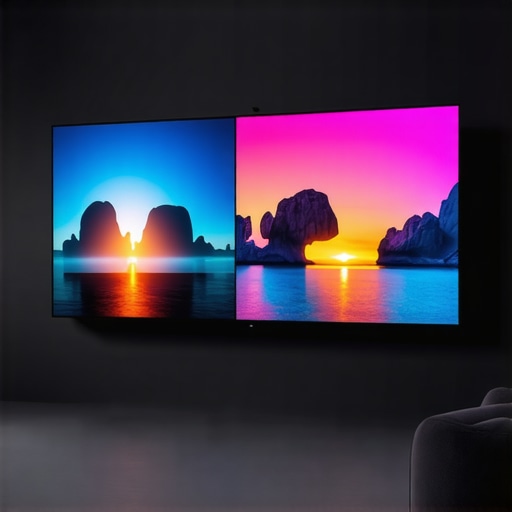
One of the biggest misconceptions I see is the belief that a higher gain screen automatically translates to a brighter, more vibrant image. While it’s true that gain influences reflectivity, overshooting the optimal range—say, opting for a 1.5 or 2.0 gain—can actually backfire, causing excessive glare and loss of contrast, especially in rooms with ambient light. This traps many into a cycle of upgrading to higher gain fabrics, only to be disappointed with washed-out visuals or uncomfortable reflections. Remember, the sweet spot often lies around 0.8 to 1.0 gain, which balances brightness without sacrificing contrast and detail—the core of {https://screens.cinegearguide.com/3-fatal-mistakes-when-cleaning-your-alr-screen-material-in-2026|cleaning your ALR screen}.
The Truth About Screen Size and Viewer Immersion
Another pitfall is the assumption that larger screens always lead to a more immersive experience. It’s not just about size—it’s about the optimal ratio for your room and viewing distance. Many enthusiasts push for 150 inches, thinking bigger is better, but in reality, an oversized screen in a confined space causes pixelation, eye strain, and loss of sharpness. The 2026 standard favors a balanced approach—like the 120-inch guideline—ensuring clarity and comfort. For more on choosing the right size that complements your space, check out {https://screens.cinegearguide.com/why-120-inch-screens-still-beat-150-inch-models-in-2026|why 120-inch screens still beat larger models}.
Advanced Mistake: Overlooking Material Texture and Microstructures
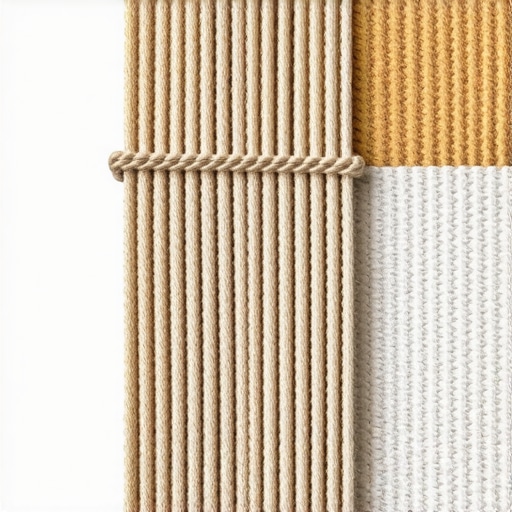
For the seasoned enthusiast, a common trap is neglecting the subtle but critical role of material texture, especially with the advent of 16K and HDR content. Many assume smooth, matte fabrics suffice, but micro-structured surfaces—like those in top-tier ALR fabrics—play a vital role in preventing blur and moiré effects. These textures help manage light diffusion, maintain sharpness, and prevent the screen from becoming a visual bottleneck. In fact, the wrong texture can cause the loss of fine details, making your investment in high-resolution content moot. Dive into {https://screens.cinegearguide.com/alr-screen-technology-explained-best-gain-material-size|the benefits of advanced ALR surface textures} for deeper insights.
Is Your Setup Truly Optimized for 2026 and Beyond?
While people often focus on the big choices—gain, size, or material—they tend to overlook the nuanced interactions between these factors. For example, a high-gain screen in a room with excessive ambient light will never perform as expected, regardless of its technical specs. Similarly, improper calibration or ignoring the impact of projection distance and throw ratios can sabotage even the best setup. To truly excel, you need to consider your entire environment holistically. Do you want to ensure your system stands the test of emerging 16K content? Then it’s essential to understand how gain, size, and texture work together. For detailed strategies, review {https://screens.cinegearguide.com/alr-screen-technology-explained-best-material-gain-insights-for-2024|best practices for future-proof projection setups}.
Have you ever fallen into this trap? Let me know in the comments. Remember, mastering projection requires understanding these nuances—so your home theater can truly shine in 2026 and beyond.
,
Keeping Your Home Theater Equipment in Top Shape
Maintaining your projection setup is essential to preserve image quality and ensure longevity. Regular cleaning of your screen and projector lenses prevents dust, dirt, and micro-scratches from degrading picture clarity. I personally recommend using a microfiber cloth combined with compressed air to gently remove debris from delicate surfaces. For screens, avoid harsh chemicals; instead, opt for a specialized cleaning solution designed for ALR fabrics—these are often available from reputable manufacturers and help prevent micro-marring. To deepen your understanding, check out our guide on cleaning your ALR screen and avoid common pitfalls like water damage or abrasive tools.
Essential Tools for Consistent Performance
Precision in maintenance depends heavily on the right equipment. I use a digital lux meter to measure ambient brightness and ensure my screen gain settings are optimal for my room’s lighting conditions. An infrared remote-controlled purging system helps me calibrate my projector’s color and contrast without disturbing the environment. Investing in a quality screen tester, such as a T-shirt or test pattern generator, helps verify uniformity and detect micro-structures that might cause blur during 16K HDR playback. Looking ahead, as content resolutions increase, these tools will become even more critical in troubleshooting and fine-tuning setups for peak performance.
How do I maintain screen integrity over time?
Over time, screens can develop micro-ripples or micro-fringes that subtly affect image sharpness. To prevent this, I advise routinely inspecting the screen surface—ideally every 6 months—and addressing any anomalies early. Using dust covers when the system isn’t in use minimizes exposure to airborne contaminants. Also, consider periodic recalibration of your projector to adapt to any changes in bulb brightness or color output. Regular maintenance extends the lifespan of fabric coatings and micro-structured surfaces, which are vital for high-resolution content like 16K. For detailed recommendations on improving durability, review the insights shared in our guide on ALR screen gain.
Future Trends: Micro-Texture and Automated Upkeep
Looking ahead, the evolution of micro-texture surfaces in screens promises to simplify maintenance while boosting contrast and clarity. Emerging technologies incorporate nano-coatings that repel dust and water, reducing cleaning frequency and preserving the integrity of advanced materials. Additionally, AI-powered calibration tools are on the horizon, promising precise, automatic adjustments based on real-time feedback from sensors embedded in your setup. Embracing these innovations now will help future-proof your theater for the upcoming surge in 8K and 16K content, making maintenance less of a chore and more of an effortless routine.
Don’t hesitate to experiment with advanced calibration and cleaning routines—these small steps can dramatically improve your long-term viewing experience. For instance, try integrating a micro-texture inspection during your next setup check; you might be surprised how much it enhances sharpness and contrast, especially with high-resolution content. As we move deeper into 2026 and beyond, maintaining your projection system with the right tools, regular care, and embracing new technology will keep your home theater shining brightly for years to come.
Three Lessons I Didn’t Expect to Learn About Screen Gain
- Don’t Chase High Gain at the Expense of Contrast: In my journey, I realized that aiming for a gain above 1.0 often led to glare and contrast loss, especially with high-brightness projectors. The real win was finding that sweet spot around 0.8, which balanced brightness and detail.
- Material Texture Matters More Than I Thought: Initially underestimating the impact of surface micro-structures, I discovered that textured ALR fabrics helped maintain sharpness with 16K content, preventing blurriness and moiré effects that smooth fabrics couldn’t avoid.
- Room Conditions Drive Gain Choices: I learned that ambient light levels heavily influence optimal gain. Bright rooms benefit from higher gain screens (>1.2), but in darker spaces, lower gain fabrics around 0.8 provided richer contrast without sacrificing luminance.
- Calibration Is the Final Step, Not an Afterthought: Even with the perfect material, proper calibration of projector settings ensures the projected image matches the screen’s capabilities, especially vital as 16K content demands precision.
Tools and Resources That Elevated My Setup
- Light Meter: Using a lux meter allowed me to measure room luminance accurately, helping me choose the right gain fabric. I trust my own measurements over guesswork.
- Projection Screen Material Guides: The comprehensive insights from this guide on ALR screen technology helped me understand which fabrics suit different environments and projectors.
- Calibrating Devices: An infrared remote-controlled system simplified my projector adjustments, ensuring consistent picture quality after selecting the optimal screen gain and material.
- Cleaning and Maintenance Resources: Regular cleaning using recommended solutions from this cleaning guide preserved my screen’s reflective qualities for crystal-clear visuals.
Embrace Your Journey and Elevate Your Home Theater
Understanding and optimizing screen gain isn’t just a technical adjustment—it’s a pathway to transforming your viewing experience. As advancements like 16K content and laser projectors become mainstream, mastering these nuances ensures your setup remains future-proof and engaging. Remember, every tweak you make is a step toward creating a space where images thrive and stories come alive. Don’t hesitate to experiment with different fabrics and calibration routines—your perfect home theater awaits. What specific challenge are you facing with your projection setup right now? Share below, and let’s grow together!
![Why Your Woven Screen Material Blurs 16K Movie Details [2026]](https://screens.cinegearguide.com/wp-content/uploads/2026/02/Why-Your-Woven-Screen-Material-Blurs-16K-Movie-Details-2026.jpeg)