Projection Screen Material & Gain: The Ultimate Buying Guide in 2024
It was a night like any other, or so I thought. I had spent hours setting up my home theater, meticulously hanging what I believed was a top-notch projector screen. But when I hit play on my favorite sci-fi flick, all I got was a dull, washed-out picture that felt more like watching through a foggy window. That lightbulb moment? It hit me hard—my screen’s material and its gain were sabotaging my entire viewing experience. If you’ve ever felt that frustration, you’re not alone. I’ve been there, and I want to help you avoid the same mistakes.
The Power of the Right Screen Material and Gain
Choosing the perfect projection screen isn’t just about picking a size or a sleek frame. It’s about understanding what makes a screen perform brilliantly—especially in bright rooms or spaces with lots of ambient light. Believe it or not, the material and gain of your screen can *make or break* your viewing quality. A high-gain screen can amplify brightness but might introduce glare or hotspots, while a low-gain one may require a dim room and a very precise viewing angle. Balancing these factors is crucial.
Have you ever wondered why your bright, vivid images look so washed out during the daytime or in well-lit rooms? Or why some screens seem to brighten your projector’s output dramatically, while others turn your content into a dull, dark mess? The culprit often lies in the screen’s gain and the material used.
Getting this right is a game-changer, especially if you’re invested in creating a home theater that can perform well in any lighting condition. The good news? Once you understand how gain affects your display, you’ll be able to select the *perfect* screen that fits your space, budget, and viewing habits.
Early in my journey, I made the mistake of assuming all screens are created equal. I bought a popular, high-gain screen without considering my room’s ambient light. The result? Reflections, glare, and a frustration that wasn’t worth any aesthetic appeal. It wasn’t until I dove into expert guides—like this comprehensive ultimate guide on gain and material—that I realized my error. Knowing the right material and gain can dramatically improve your projection quality.
So, are you currently facing issues with image brightness, glare, or color accuracy? If so, read on. We’re about to explore the ins and outs of screen gain and material selection, to help you create a viewing experience that’s as vivid and immersive as you’ve always imagined. Let’s uncover how to pick the best options for your room and take your home theater to the next level.
Match Your Room Lighting to Screen Gain
Assess your environment: is your room bright or dim? For rooms with abundant ambient light, prioritize high-gain screens (1.8 or higher), which reflect more light toward the viewer, enhancing brightness. Conversely, if your space can be darkened easily, a low-gain screen (around 1.0 or less) helps maintain color accuracy and reduces glare. I once transformed my bright living room into a home theater by switching from a standard 1.0 gain to a 2.2 gain screen, and the improvement in brightness was immediate—no more washed-out images. Use this guide on gain options for bright rooms to select the best fit.
Select the Right Material Based on Your Content
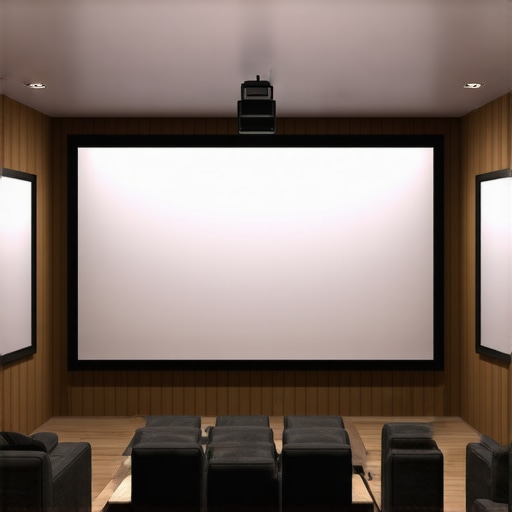
Screen materials vary widely: matte fabrics, glass, acrylics, and specialized ALR (Ambient Light Rejection) surfaces. For vivid, contrasted images in bright rooms, ALR screens are designed to reject ambient light and improve picture clarity. If your content involves a lot of HDR or high-contrast scenes, opt for materials that emphasize color and contrast, like specialized ALR options listed here. I once upgraded to an ALR screen with a textured surface, which dramatically reduced glare, making every scene pop without needing to darken the room excessively.
Determine the Ideal Screen Size for Your Setup
Choose a size that fills your field of view without overwhelming it. A good rule is to sit at a distance of about 1.5 to 2.5 times the diagonal size of your screen. For example, if your seating is 10 feet from the wall, a 100-inch screen is usually appropriate. Use this size and placement guideline to refine your choice. I learned this firsthand when I initially installed a 120-inch screen in a small room—it felt overwhelming until I scaled back to 100 inches, which created a more immersive yet comfortable experience.
Balance Gain and Material for Optimal Brightness
High gain increases brightness but can introduce hotspots or glare if not chosen carefully. Low gain maintains uniform image quality but requires a darker environment to achieve similar luminance. When I tested different screens, I found that a 1.8 gain ALR material provided a nice balance in my bright living room, delivering vivid images without hotspots. For more nuanced options, check this comparison of gain levels and materials. Matching the screen’s gain to your room’s characteristics ensures your projector’s brightness is effectively utilized.
Many enthusiasts believe that selecting a projection screen is as simple as picking the biggest size or the most popular material. However, this oversimplification often leads to subpar viewing experiences.
One of the most widespread misconceptions is assuming that a high-gain screen always results in brighter images. In reality, high gain (above 2.0) can cause hotspots and glare, especially if not paired with a carefully calibrated projector and room setup. Conversely, many underrate low-gain screens, missing out on their ability to produce uniformly bright images in controlled lighting conditions. It’s essential to understand that gain isn’t a one-size-fits-all parameter; it requires nuanced matching to your specific environment.
When it comes to screen materials, the common myth is that all matte surfaces are equal. Not so—reflective or textured surfaces like ALR (Ambient Light Rejection) screens can dramatically improve contrast and color vividness in bright rooms. But they also require precise placement and understanding of their gain characteristics. Relying solely on brand reputation without considering your room’s ambient light can result in disappointment.
A frequent mistake relates to screen size. Many assume bigger is better, but larger screens in small rooms can overwhelm viewers and cause eye strain. It’s crucial to calculate the optimal size based on seating distance and field of view. For instance, a 120-inch screen might be ideal for a dedicated home theater but overwhelming in a cramped space, leading to a compromised experience.
Advanced users often overlook the importance of consistency and calibration. Even the best screen material or gain can fall short if the projector isn’t correctly calibrated for brightness, contrast, and color accuracy. Investing in proper calibration tools or professional setup ensures your selected screen performs to its full potential.
Beware of the trap of chasing the latest tech trends, like overemphasizing ALR screens for every scenario. While these can excel in bright rooms, they are not universally superior. Some luxury matte screens outperform certain ALR surfaces in controlled lighting conditions, offering richer colors and better uniformity. To make an informed choice, consider your room’s lighting profile and content type.
Looking to deepen your understanding? Check out the comprehensive guide on ALR and gain to refine your selection criteria.
Finally, avoid the mistake of neglecting long-term maintenance and changes in your environment. Regular cleaning and periodic recalibration can preserve your screen’s performance, ensuring your investment continues to deliver stunning visuals.
Have you ever fallen into this trap? Let me know in the comments, and share your experiences with screen selection challenges!Maintaining your projection screen’s optimal performance requires a proactive approach with the right tools and routines. First, regular cleaning is essential to preserve image clarity. Use a microfiber cloth with mild soap and water—avoid harsh chemicals that can damage delicate surfaces. For ALR or specialty materials, consult specific cleaning instructions from manufacturers to prevent damage. Additionally, calibrating your projector and screen alignment periodically ensures consistent image quality; I recommend a colorimeter like the X-Rite i1Display Pro, which allows precise calibration of color and brightness, ensuring your setup remains vivid and accurate over months of use. Implementing software solutions such as CalMAN or DisplayCAL can automate calibration processes, making long-term maintenance more manageable. As display technology advances, trending tools are incorporating AI-driven calibration features, promising even easier and more precise adjustments in the future. I predict that integrating these smart tools with automated maintenance routines will become the norm, simplifying long-term upkeep for enthusiasts and professionals alike.
The Hidden Lessons I Never Expected About Screen Choices
Over time, I learned that the journey to the ideal home theater isn’t just about flashy gear or big screens. One of the most valuable lessons was that trusting popular trends without understanding your room’s unique lighting and content needs can lead to frustration. I once prioritized a high-gain ALR screen believing it would transform my experience, only to realize it introduced glare and hotspots in my bright living room. This taught me to analyze my environment first, then select a screen that complements those conditions, such as choosing a versatile material and gain suited for ambient light levels.
Another insight was realizing that bigger isn’t always better. I had installed a massive 120-inch screen in a small space, feeling it would immerse me more. Instead, it overwhelmed the room and made viewing uncomfortable. Measuring my seating distance and understanding my visual comfort led me to opt for a well-sized 100-inch screen, which enhanced immersion without overwhelming my space. Tailoring your screen size and gain based on frequent content types and room characteristics ensures a truly personalized home theater.
Lastly, I discovered that calibration and regular maintenance can’t be overlooked. Even with the perfect screen material and gain, neglecting projector calibration can diminish picture quality. I now use tools like the X-Rite i1Display Pro to keep my setup optimal, ensuring vivid colors and brightness. Embracing ongoing fine-tuning guarantees that your investment continues to deliver stunning visuals, no matter how many upgrades you make.
My Favorite Resources for Mastering Projection Skills
- Best ALR Screen Recommendations: An essential resource that helped me understand which materials and gain levels work best for my lighting.
- Choosing the Right Screen Size and Material: This guide demystified size calculations and material trade-offs, saving me from costly mistakes.
- Ultimate Guide to Screen Material and Gain: A comprehensive overview that sharpened my understanding of how different surfaces and gains affect picture quality.
Take Your Home Theater to New Heights Today
Finding your perfect projection setup isn’t just a technical challenge—it’s a rewarding journey toward immersive entertainment tailored for your space. With patience, curiosity, and the right knowledge, you can create a viewing experience that surpasses expectations. Don’t settle for mediocre images—embrace learning and experimentation, and watch your home theater transform into a true cinematic haven.
What’s been your biggest challenge in choosing or setting up your projection screen? Share your story below—I’d love to hear your experience and help you find ways to improve!


Reading through this post really resonated with my own experience of upgrading my home theater setup. I remember when I initially installed a high-gain screen without considering the ambient light in my living room. The glare and hotspots were frustrating, and I didn’t realize that gain levels could significantly impact picture quality depending on lighting conditions. It’s fascinating how nuanced the choice of screen material and gain really is—something I overlooked at first. I’ve learned that matching the gain to your room’s ambient light makes a huge difference. For example, in a brighter room, a high-gain screen can really boost brightness without sacrificing too much contrast, but in a darker room, lower gain surfaces can provide more accurate colors and less glare. What’s been your trickiest challenge when choosing a projector screen? Do any of you have tips for balancing gain and material in multi-use spaces? I’d love to hear more ideas from the community.
This post really got me thinking about my own home setup. I recently upgraded to a high-gain screen, expecting a dramatic boost in brightness, but I didn’t consider how reflective surfaces could cause hotspots or glare, especially during daytime viewing. It’s a common misconception that higher gain always means better brightness, but in reality, the room environment and screen placement play crucial roles. I’ve found that in my bright living room, a 1.8 gain ALR screen has worked pretty well, reducing glare while maintaining vivid images. I’m curious, how do others manage the glare from screens with higher gain in multi-use spaces? Do you use specific positioning tricks or accessories to minimize hotspots? I’d love to hear practical tips to optimize different room conditions without sacrificing picture quality. It’s fascinating how much thought goes into just selecting the right screen material—definitely not as simple as size or brand choice.
This post really hits the nail on the head about the importance of matching your screen gain and material to your room’s ambient lighting. I learned this the hard way when I installed a high-gain screen in my bright living room, and the glare was unbearable during daytime movies. Now, I understand that in well-lit spaces, a lower gain, matte surface prevents hotspots and keeps the picture clear. I also found that adjusting the projector’s brightness is vital when dealing with different gain levels, so calibration isn’t just a one-time setup. Has anyone found a reliable way to test optimal gain settings in their room without investing in pricey equipment? I’m curious about practical tips to fine-tune everything for the best viewing experience. It’s fascinating how small adjustments can dramatically improve home theater quality, don’t you think?
This article really resonates with my own experience, especially when you mentioned how choosing the right gain and material was a game-changer for your setup. I remember initially thinking that a higher gain screen would automatically improve brightness, but I quickly learned that environmental factors like ambient light and room size play a huge role. I’ve found that in my bright living room, a dedicated high-gain, ALR screen really helped, but I had to carefully position it to avoid hotspots. My biggest challenge was balancing screen size with room dimensions to avoid overwhelming the space without sacrificing immersion. I’m curious: how do others here determine the ideal screen size and gain for multi-purpose rooms? Do you have go-to tools or formulas that help you make those decisions? I think proper calibration and understanding lighting is truly essential, especially since even the best screen won’t shine if the projector’s settings are off. Would love to hear your tips and experiences!
This post really struck a chord with me, especially the part about matching the screen gain to your room’s lighting conditions. I used to think a higher gain meant better brightness and didn’t realize it could cause hotspots and glare. In my experience, the key to a good projector setup is balancing gain and screen material. For my living room, which has a lot of ambient light, I’ve found that a 1.8 gain ALR screen offers excellent brightness without the glare issues associated with higher gain surfaces. But, I still wonder—what’s the best way to test the effective gain in a room without spending a ton of money on equipment? I’d love to hear how others have calibrated or optimized their setups to match different room conditions. Also, does anyone have tips for maintaining the balance as room lighting or furniture arrangements change over time? Proper calibration and understanding of gain seem crucial, but practical tips are always welcome.