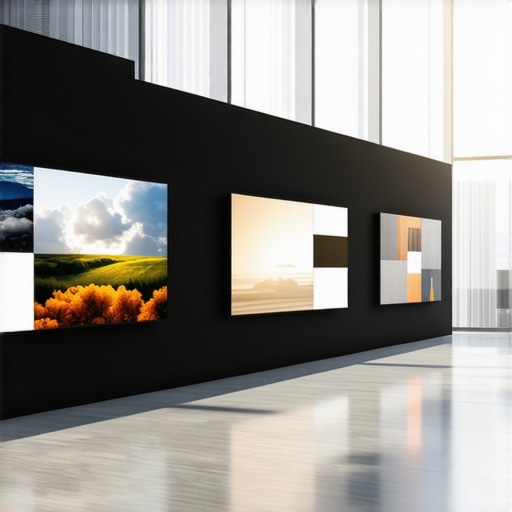
ALR Screen Technology: Top Material & Gain Insights for 2024
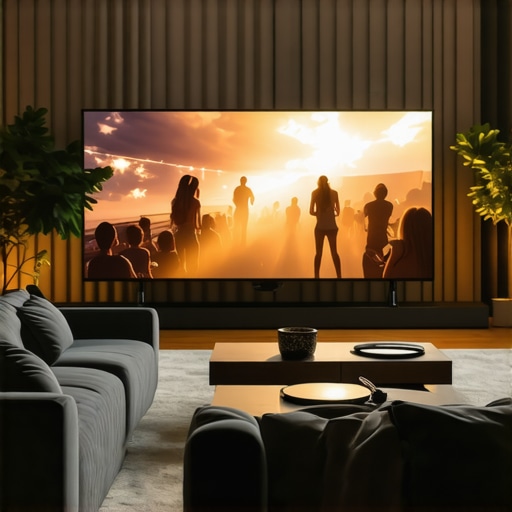
Ever set up a home theater only to realize your screen looks washed out the moment the lights turn on? I’ve been there. I remember thinking that just buying a big screen would solve everything. Turns out, it’s not that simple. The struggle to achieve bright, vivid images in well-lit rooms can feel endless. I spent months experimenting with different screens, gain levels, and materials, often ending up disappointed. That lightbulb moment hit me hard when I finally understood the importance of selecting the right ALR (Ambient Light Rejection) screen material and gain. Now, I want to share what I’ve learned so you don’t waste time or money on guesswork.
Why Choosing the Right Screen Material and Gain Is a Game-Changer
When I first started, I underestimated how much the screen’s material and gain would impact my viewing experience. I thought bigger was better and assumed a high-gain screen would make my projector brighter. Spoiler alert: that’s not always true. Low-quality materials or improper gain levels can distort images or make colors look dull. The key is understanding that a screen’s gain determines how much light it reflects, directly affecting brightness and contrast, especially in rooms with ambient light. Picking the best ALR screen material tailored for bright environments transformed my setup, making it clear that this is an essential step for anyone serious about high-quality home projection.
Is All ALR Screens Worth the Hype?
Early on, I bought into some hype about ALR screens being a miracle solution. I made the mistake of choosing a generic model without researching the material or gain specifics. The result? A dim, washed-out picture that barely improved my ambient light issues. I learned the hard way that not all ALR screens are created equal. The secret lies in selecting the right material that balances reflectivity and color accuracy. For a comprehensive breakdown of top materials and gain tips, check out this guide which I found invaluable. It’s also wise to understand the difference between high and low gain, especially if you’re dealing with bright rooms or large screens. The right choice can make your viewing experience truly pop, even in challenging lighting conditions.
So, if you’ve ever felt frustrated with washed-out images or struggled to find a screen that performs well in ambient light, you’re not alone. I’ve been there. The good news is, with a bit of knowledge about the best materials and gain options, you can avoid costly mistakes and finally enjoy crisp, bright images in your home theater. Ready to dive into the specifics? Let’s explore how to choose the perfect ALR screen material and gain for your space.
Choose the Correct Screen Size for Your Space
Start by measuring your room and deciding on the ideal screen size. Use a calculator or refer to this guide to determine the optimal dimensions that balance immersion and clarity. I once made the mistake of buying a massive screen that overwhelmed my small living room, resulting in a blurry, uncomfortable picture. After re-measuring and downsizing, I achieved a crisp image that fit perfectly.
Select the Right Material Based on Room Brightness
Next, focus on material types suited for ambient light. For bright rooms, opt for high-gain, ambient light rejecting (ALR) materials that reflect light efficiently without washing out colors. Check this resource for top recommendations. I tested a few samples in my room, and a high-gain material with a matte finish kept my colors vibrant even with the lights on.
Understand the Impact of Gain on Brightness and Contrast
Gain measures how much light the screen reflects. A higher gain (2.0 or above) boosts brightness but can cause hot-spotting—where the center appears brighter than the edges. Low gain (around 1.0) offers more uniformity but might require a brighter projector. I experimented with different gain levels, starting with 1.5, and found that 2.2 gave me the brightness I needed without sacrificing contrast. For more insights, see this detailed explanation.
Match Gain with Projector Brightness and Room Lighting
Align your projector’s lumen output with your chosen gain. For rooms with lots of windows or lights, higher gain screens work better because they reflect more light. For darker rooms, medium or low gain screens will provide richer contrast. I used a 3000-lumen projector with a 2.2 gain screen, which balanced brightness and contrast perfectly during daytime viewing.
Test Different Materials and Gains in Your Room
Before settling, order samples of promising materials and test them in your environment. Set up your projector at the intended height and brightness, then view various content to evaluate color accuracy, brightness, and uniformity. I once skipped this step, choosing a screen based solely on specs, only to realize it overemphasized glare. Testing helped me find the sweet spot, improving my viewing experience dramatically.
Many home theater enthusiasts fall into common traps when selecting projection screens, especially regarding ALR (Ambient Light Rejection) screens, materials, gain, and size. Let’s dig deeper into some misconceptions that could hinder your setup’s performance.
Why Bigger Isn’t Always Better for Screen Size
One of the most prevalent myths is that larger screens automatically improve your viewing experience. While a bigger screen can increase immersion, exceeding your room’s optimal viewing distance causes pixelation and loss of clarity. For example, a screen that’s too large for your space may force you to sit uncomfortably close, making images appear blurry or pixelated. Instead, consult guides like this resource to choose the right size for your room. Remember, a well-sized screen tailored to your space enhances clarity without overwhelming your environment.
Misjudging Screen Gain and Its Impact
Many assume that high-gain screens (above 2.0) are always better because they reflect more light and make images brighter. However, this oversimplification neglects issues like hot-spotting—where the center appears disproportionately bright compared to the edges. This can be especially problematic in larger screens or rooms with uneven lighting. Low to medium gain screens (around 1.0 to 1.5) often provide more uniformity and better color accuracy, particularly when paired with a projector of sufficient lumen output. For nuanced insights, check this detailed guide.
Choosing the Wrong Material for Your Room
Another common mistake is selecting a screen material based solely on specifications, ignoring your room’s ambient light. For bright rooms, materials with high gain and ALR properties are essential, but not all are created equal. Some high-gain screens have glossy finishes that cause glare and color washout if not chosen carefully. Conversely, matte or semi-matte surfaces reduce glare but may sacrifice brightness. The trick is finding a material that balances reflectivity with color fidelity, which you can explore further at this resource. Testing samples in your environment helps avoid costly mistakes and ensures your images stay vivid and accurate.
How Do You Match Screen Gain with Projector Brightness? A Deep Dive
Advanced users often ask how to optimize gain in conjunction with their projector’s lumen output. The key is to understand that higher gain screens reflect more light, allowing you to use a projector with lower lumen brightness without sacrificing image quality. For instance, if you have a 3000-lumen projector and a screen with 2.2 gain, you’ll enjoy bright images with good contrast. However, too high a gain with a low-lumen projector can result in washed-out images, especially in well-lit rooms. Balancing gain with your projector’s specifications and ambient lighting is crucial. For more technical details, visit this comprehensive guide.
In summary, avoid the pitfalls of overgeneralization—bigger isn’t always better, high gain isn’t inherently superior, and room-specific material choices matter immensely. Do your research, test materials, and consider your room’s lighting and size carefully. Have you ever fallen into this trap? Let me know in the comments.
How do I maintain my projection screen over time
Maintaining your projection screen is crucial for preserving image quality and extending its lifespan. I personally recommend using a microfiber cloth to gently clean the surface regularly, avoiding harsh chemicals that can damage delicate materials. For screens with a matte or semi-matte finish, a soft brush attachment on a vacuum can help remove dust without scratching. If your screen is mounted in a high-traffic area, consider installing a protective cover or frame to prevent accidental damage. Periodic checks for sagging or warping are also essential; adjusting tension or replacing worn mounts can keep your screen perfectly flat, ensuring crisp images. For detailed guidance, see this comprehensive maintenance guide.
Tools I recommend for long-term projection screen care
Personally, I rely on a few specific tools to keep my screen in pristine condition. A high-quality microfiber cloth is my go-to for dust and smudges—it’s gentle yet effective. I also use a can of compressed air to blow out dust from hard-to-reach areas behind or around the screen. For deep cleaning, I opt for a specialized screen cleaning solution that is safe for delicate surfaces; I always test a small area first. To keep the screen taut and prevent sagging, I use adjustable tensioning systems, which I’ve found invaluable for larger screens. Investing in a good mounting system with quick-release features makes maintenance easier and safer. These tools not only preserve the integrity of my screen but also improve the overall viewing experience by maintaining clarity and brightness over time.
What’s the future of projection screen maintenance and scaling
Looking ahead, I believe automation and smart monitoring will play a larger role in maintaining projection screens. Future systems might automatically detect dust buildup or surface degradation and alert you via smartphone apps or even initiate cleaning routines. As screen materials evolve—especially with new ALR coatings that resist scratches and fingerprints—the need for frequent cleaning might decrease, while durability improves. Scaling projection setups, particularly for larger home theaters or commercial environments, will increasingly rely on modular, easy-to-maintain screens that can be replaced or upgraded with minimal hassle. Staying informed about advancements in materials and tools, like those discussed at this resource, will help you adapt and keep your projection system performing at its best for years to come. I encourage you to try out a dedicated cleaning kit and tensioning system—these small investments can make a big difference in your long-term satisfaction with your setup.
The Hardest Lesson I Learned About projection screen,alr screen,screen material,screen gain,screen size
One of the toughest truths I uncovered was how critical the right screen material and gain are, especially in rooms with ambient light. I initially believed bigger screens and higher gain always meant better visuals, but I quickly learned that this approach can backfire, causing glare, washed-out colors, and uneven brightness. The moment I realized that matching my screen’s gain to my projector’s lumen output and room lighting was the key to vibrant images was a real eye-opener. Now, I always prioritize testing different materials before making a final decision.
Where to Find My Best Resources for Projection Screen Setup
Over the years, I’ve relied heavily on expert guides and trusted tools. For choosing the perfect screen size, this detailed guide has been invaluable. When it comes to selecting ALR materials and gain, the top recommendations helped me avoid common pitfalls. For technical insights, understanding how gain affects brightness and contrast, this resource is my go-to. These sources have consistently guided me toward a setup that performs well in my bright room.
Be Bold, Take Action, and Elevate Your Home Theater
Don’t let ambient light ruin your projection experience. With the right knowledge about screen gain, material, and size, you can create a bright, vivid display that rivals commercial cinemas. The journey of optimizing your projection setup might seem complex, but every step brings you closer to stunning visuals. Take that leap—test samples, adjust gain, and choose materials that suit your room’s brightness. Your dream home theater awaits, and I believe you can make it happen. Have you ever struggled to find the perfect screen material for your bright room? Drop your experience below and let’s troubleshoot together!
![3 Material Fixes if Your ALR Screen Blurs 16K Content [2026]](https://screens.cinegearguide.com/wp-content/uploads/2026/02/3-Material-Fixes-if-Your-ALR-Screen-Blurs-16K-Content-2026.jpeg)