Projection Screen Gain & Material: Expert Tips for Bright Rooms
I remember the moment I finally installed a projector in my living room. I was eager, excited, but soon realized that the picture looked washed out whenever I turned on the lights. No matter how much I fiddled with the settings, the image just didn’t pop like I’d hoped. It was a real wake-up call. I learned that the secret isn’t just about the projector itself, but more about choosing the right screen material and gain for bright environments. If you’ve faced similar frustrations, you’re not alone. Luckily, I found that understanding some key principles about screen gain and material can transform your viewing experience, making your bright room look vibrant and cinematic instead of dull and washed out.
Why Bright Rooms Need Special Attention to Screen Gain & Material
Bright rooms are a challenge for projection fans. Sunlight, ambient lighting, or even well-lit spaces can easily overpower a standard screen. Many beginners make the mistake of choosing a screen without considering how much light their room produces. They end up with a blurry, low-contrast image that’s hard to enjoy. The trick is to select a screen with the right gain and material specifically designed for high-light environments. This isn’t just about brightness; it’s about controlling how light interacts with your screen to produce a clear, vivid picture even in well-lit spaces.
Over the years, I’ve experimented with different materials and gains—trust me, the difference is night and day. For example, an ALR (Ambient Light Rejection) screen with a high gain can reflect more light toward your eyes, boosting brightness and contrast without washing out the image. But beware—going too high on gain can introduce hot-spotting, where the center looks brighter than the edges. That’s a mistake I made early on. To avoid that, I recommend exploring the best ALR screen options for bright rooms and understanding how different materials impact your display quality.
Choosing the right screen isn’t just about brightness—it’s about balancing gain, material, and room conditions. If you’re unsure what works best, I suggest looking into comprehensive guides that explain how gain affects your setup, like this understanding of screen gain. Remember, a well-chosen screen can make your bright room feel like a private cinema, even during the day.
Is Screen Gain Really That Important in Bright Rooms?
At first, I doubted it myself. I thought, “How much difference can a screen material make?” Turns out, quite a lot. My mistake was underestimating how much ambient light can dull a projection. Once I upgraded to a high-gain ALR screen, the difference was astonishing. The image became brighter, more contrasty, and much more enjoyable during daytime. If you’re skeptical, I get it. But the right screen material and gain are game-changers. I highly recommend diving into the details here: explanation of top materials and gain. You might find it’s just what your setup needs to turn your bright room into a true home theater.
So, if you’ve struggled with dull images or washed-out colors in your bright room, don’t worry. There’s a solution that doesn’t involve massive renovations or blacking out your windows. It’s about making smart choices with your projection screen. Ready to learn more about how to pick the perfect screen material and gain for your space? Let’s dive into the practical steps that will brighten your viewing experience starting today!
Pick the Right Projection Screen Material
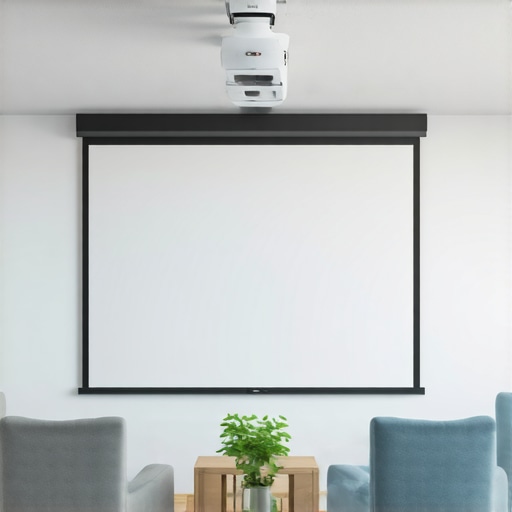
Start by choosing a material designed for ambient light rejection (ALR). These screens are crafted to reflect more light toward your eyes, making daytime viewing clearer. I once bought a generic white screen, expecting magic, but it washed out under my living room’s sunlight. After researching, I discovered ALR screens with high gain materials that specifically block ambient light and boost brightness. A good starting point is to check out top ALR screen options. This helped me avoid hot-spotting and uneven brightness, common pitfalls with high-gain screens.
Understand Gain and How It Affects Brightness
Gain measures how much light a screen reflects back. Think of gain as a volume knob for brightness: higher gain (above 1.5) amplifies light, making images pop in bright rooms, but too high (above 3) can cause hot spots. I initially tried a gain of 2.5, but the center was overly bright, and the edges dimmer—like a spotlight in a theater. To balance brightness and uniformity, review gain recommendations for bright environments. When I switched to a gain of 1.8 with a matte material, the image became evenly bright without hot spots, transforming my daytime viewing experience.
Match Screen Size to Room and Projector
Size matters—too big, and you risk losing contrast; too small, and the immersion suffers. Use the calculator at size and gain guide to pick the perfect fit. I once bought a 120-inch screen for a small room, which overwhelmed the space and made the image look washed out. After downsizing to 100 inches, the image was sharper, and the brightness felt more natural. Remember, a larger screen with high gain can work well if you have a projector capable of bright images and a room that can handle the size.
Optimize Your Setup for Daytime Viewing
Position your projector and screen to maximize brightness. Use curtains or blinds to control ambient light during the day, and avoid placing windows behind the screen. I experimented with different angles and found that angling the projector slightly helped reduce glare. Additionally, consider wall color—darker walls reduce light reflection that can wash out your image. For more detailed strategies, visit setup optimization tips. My setup improved dramatically after I painted my walls a matte gray, which enhanced contrast and made my daytime movies vibrant and engaging.
Test and Fine-Tune Your System
Once installed, tweak your projector settings—contrast, brightness, and color—to match your screen and room conditions. I recommend taking measurements of ambient light and adjusting your projector’s lumens accordingly. For example, I increased my projector’s brightness to 3,000 lumens and set contrast to a higher level, which helped maintain vivid images during the day. Keep experimenting until you find a balance where the image is bright, detailed, and free of hot spots. Remember, every room is unique, so don’t hesitate to revisit your choices as your setup evolves.
By understanding and applying these core principles—selecting the right material, balancing gain, sizing appropriately, and fine-tuning your projector—you can turn your bright room into a vivid cinematic space. Every step might seem small, but combined, they create a dramatic improvement in your viewing experience.
Many enthusiasts assume they understand projection screens, but there are some common misconceptions that can lead to suboptimal setups. Let’s dig into what people often get wrong and explore the hidden nuances that can make a real difference in your home theater experience.
Why the Popular Belief That Bigger Is Always Better Is a Trap
One widespread myth is that larger screens automatically mean better immersion and brightness. While size influences immersion, it also impacts contrast and uniformity. An oversized screen in a small room can cause hot spots and washed-out images, especially if your projector’s lumen output isn’t high enough. Always match your screen size to your room dimensions and projector capabilities. For detailed tips, check out this comprehensive size and gain guide.
Beware of Overestimating Gain’s Benefits and Ignoring Hot-Spotting
High gain screens seem ideal because they boost brightness, but they come with pitfalls. Many assume that a gain above 2.0 will always improve daytime viewing, yet higher gain can cause hot-spotting—bright centers that diminish contrast and image quality. My own experience taught me that an optimal gain for bright rooms is around 1.8 to 2.0, carefully avoiding excessive hot spots. For expert insights, see this detailed explanation of gain and hot-spotting.
Advanced Tip: The Material Matters More Than You Think
Many overlook the importance of screen material in favor of gain alone. While gain affects brightness, the material’s texture and properties determine contrast, viewing angles, and ambient light rejection. For instance, matte ALR screens are designed to reflect ambient light away, but not all matte materials perform equally. I recommend exploring top ALR screen options to find a balanced material that offers both high gain and excellent ambient light rejection without sacrificing contrast.
Another common mistake is assuming all screens are equally effective for any projector or room. The interaction between projector lumen, screen gain, room lighting, and size is nuanced. According to a recent study by AV experts, optimizing this interplay requires understanding the specific properties of your materials and how they influence light reflection and absorption. Check out this guide on material and gain interplay.
Final Thought: Don’t Fall for One-Size-Fits-All Solutions
Every room has unique lighting and space constraints. The idea that a single screen type or gain level fits all is a false economy. Instead, focus on tailored solutions—balancing gain, material, size, and projector specs. If you want to get the most out of your setup, revisit your choices regularly and experiment with different configurations. Remember, the nuances matter more than the myths.
Have you ever fallen into this trap? Let me know in the comments.
Maintaining your projection screen and its components is crucial for ensuring consistent image quality over the years. I personally rely on a few specific tools and methods that have proven effective in my setup, and I recommend them to anyone serious about preserving their home theater investment. Regular cleaning, calibration, and protective measures can extend the lifespan of your screen material and keep the image sharp and vibrant.
First, I always keep a microfiber cloth and a gentle, alcohol-free screen cleaner on hand. Dust, fingerprints, and smudges can diminish contrast and cause uneven brightness. Applying a soft cloth with a little cleaner helps maintain a pristine surface without scratching or damaging delicate materials. When choosing a cleaner, avoid harsh chemicals that can degrade coatings or reduce the effectiveness of ALR surfaces. For high-gain or specialized materials, consult the manufacturer’s cleaning instructions to prevent voiding warranties.
For calibration, I use a colorimeter like the X-Rite i1Display Pro. This device allows me to precisely measure the screen’s color accuracy, gamma, and brightness levels. Regular calibration ensures that my projector’s output matches the intended settings, especially after firmware updates or bulb replacements. You can use free or paid software like CalMAN or LightSpace to interpret the readings and fine-tune your projector’s settings accordingly. Proper calibration keeps your image looking natural and vibrant, preventing color shifts that can occur over time.
Protective measures are also essential. I recommend investing in a quality screen cover or dust shield, especially if your room is prone to airborne particles or pet hair. Additionally, controlling room humidity and avoiding direct sunlight can prevent mold and material degradation. If you notice any warping or sagging, addressing it early with professional support can save you from costly replacements later.
In terms of long-term results, consistent maintenance keeps your screen performing optimally and prevents costly repairs. A well-maintained ALR screen can serve you for many years, maintaining high gain and ambient light rejection qualities. I also keep an eye on the projector’s lamp life and replace bulbs proactively to prevent brightness drops or color shifts that can make calibration difficult.
Looking ahead, I believe the future of projection screens involves smarter, self-cleaning surfaces and advanced coatings that resist dust and scratches. As technology advances, I predict more integrated maintenance tools, such as automated calibration and real-time condition monitoring, will become standard in premium home theater setups. For now, sticking to proven tools like microfiber cloths, calibration devices, and protective covers is your best bet for keeping your projection system working flawlessly.
How do I maintain my projection screen over time?
The key is regular cleaning, calibration, and protective measures. Schedule periodic inspections, especially after major changes or long periods of use, and don’t wait until you notice a decline in picture quality. Using the right tools and following manufacturer guidelines will ensure your investment continues delivering stunning visuals for years to come.
Try implementing a routine using a microfiber cloth and a calibration device to keep your screen in top shape. Consistency is the secret to long-term success in home projection systems.
What I Wish I Knew About Bright Room Projection
- High gain isn’t always perfect: My first mistake was assuming the higher the gain, the better. Turns out, too high can cause hot spots and uneven brightness, which ruined my viewing experience. Finding that sweet spot around 1.8 to 2.0 gain was a game changer.
- Material quality matters more than I thought: I used to overlook the importance of the screen surface. Upgrading to a matte ALR screen with the right properties drastically improved contrast and ambient light rejection, making daytime viewing much more enjoyable.
- Balance is key: Size, gain, and material must work together. A massive screen with high gain in a small room was overwhelming. Matching the screen size to my projector’s lumen output and room dimensions made a huge difference.
- Room setup influences performance: Positioning my projector and controlling ambient light created a more consistent, vibrant image. Dark curtains and wall colors helped me maximize brightness in a bright room.
- Regular calibration and maintenance are crucial: Using tools like a colorimeter and microfiber cloth kept my setup sharp and vibrant over time, preventing degradation of image quality.
My Go-To Resources for Perfect Projection
- Top ALR Screen Options: Trusted for comprehensive reviews of materials and gain suitable for bright environments.
- Size and Gain Guide: Essential for matching your screen size with your room and projector capabilities.
- Projection Screen Size and Technology: Helps me plan the perfect setup for any space.
- Understanding Screen Material: Deep dives into how different surfaces impact image quality and ambient light handling.
Your Turn to Brighten Up the Room
Improving your projection in a bright room is a mix of science and art. With the right screen gain, material, and setup, you can enjoy vivid, cinematic images even in challenging lighting conditions. Don’t be afraid to experiment and fine-tune your system — your perfect home theater awaits.
Have you ever struggled with choosing the right screen gain or material? Let me know below!