Understanding Screen Gain & Material for the Best Projection Experience in 2024
I remember spending hours fiddling with my projector, trying to get the perfect picture. No matter what I did, the image just looked washed out in my bright living room. It was frustrating—like trying to see through a fog that I couldn’t clear. That was my lightbulb moment: I realized that understanding the nuances of screen gain and material quality could make or break my entire viewing experience. If you’ve ever faced similar struggles—whether it’s dull images, washed-out colors, or poor contrast—you’re not alone. Many enthusiasts and even seasoned AV hobbyists overlook these crucial details, only to find their efforts falling flat when it counts most.
Why Your Screen Material Could Be Sabotaging Your Bright Room Experience
Choosing the right projection screen material isn’t just about aesthetics or brand reputation. It’s a fundamental factor that determines how much light your screen reflects and how vibrant your images appear. In bright rooms especially, your choice of screen gain—the measure of how much light a screen reflects—can make the difference between a stunning picture and a blurry, washed-out mess. When I first started, I made the mistake of assuming all screens are created equal. I picked a popular model based on reviews alone, without considering its gain or suitability for my room’s lighting conditions. That mistake cost me hours of frustration and wasted money. I wish I had known earlier about the importance of matching gain and material to my room’s lighting and projector specifications. If you’re looking for a comprehensive guide, check out this ultimate guide to gain and material options for 2024.
Is Screen Gain Overhyped or Actually Critical? Find Out Here
It’s a common skepticism—does screen gain really matter that much? Early in my journey, I fell into the trap of thinking that a high-gain screen would just make the image brighter. But I learned that it’s more nuanced. High-gain screens reflect more light, which can be great for bright rooms but can also introduce hot spots or glare if not chosen carefully. Conversely, low-gain screens tend to diffuse light more evenly but require a darker environment for optimal results. My biggest mistake was choosing a high-gain screen without considering my projector’s lumen output and my room’s ambient light. That led to an uneven picture, with bright spots and reduced contrast. I wish I’d known about the top materials and gain tips for bright rooms beforehand. This knowledge can save you from the same pitfalls and help you pick the perfect material for your space.
Assess Your Room and Projector First
Before selecting a screen, evaluate your room’s ambient lighting and your projector’s lumen output. For bright rooms, aim for high-gain screens that reflect more light, but be cautious of hot spots. Use a light meter or simply observe how much ambient light exists during your viewing time. This initial step ensures your choices are tailored and effective, saving you time and money in the long run. For detailed guidance, check out this projection screen size and material guide.
Match Gain to Room Lighting
Think of gain as the screen’s ability to bounce back light—like a mirror versus a matte surface. In a bright living room, a gain of 1.5 to 2.0 is typically ideal. High-gain screens, like 3.0, can produce brighter images but risk glare and uneven illumination. Low-gain screens (<1.0) diffuse light more evenly, making contrast better in darker rooms. When I upgraded my setup, I initially chose a 2.5-gain screen, expecting brightness. However, I overlooked the room’s ambient light, leading to glare and hot spots. After switching to a 1.3 gain screen, the picture became more uniform, and contrast improved significantly. Learn about the best material options for these gains in this top materials and gain tips for bright rooms.
Select the Right Material for Your Gain Goals
Not all screens are created equal—materials influence both gain and image quality. For example, some high-gain screens use reflective coatings that enhance brightness but can introduce hotspots. Matte surfaces, on the other hand, provide more uniform diffusion. During my own project, I experimented with several materials, including ambient light rejecting (ALR) screens, which are designed to improve contrast in bright environments. I found that choosing a specialized ALR screen with a gain of around 1.8 gave me a clear, vibrant image without glare issues. To streamline your decision, explore this best material options for bright rooms.
Calculate the Ideal Screen Size and Gain
Size matters—too small, and your image feels cramped; too large, and it can overwhelm the space. Use your room dimensions and projection throw distance to determine the optimal size. Balance this with gain choice: a larger, high-gain screen can produce a bright, immersive image, but be mindful of hot spots. I once used an online calculator to match my projector’s throw ratio with my room size, then adjusted the gain accordingly to avoid glare. For precise calculations, see this screen size and material guide.
Test and Fine-Tune Your Setup
Once installed, test your setup under typical lighting conditions. Observe for hot spots, glare, and contrast issues. Adjust the screen angle, lighting, or even consider a different gain material if necessary. I found that adding a slight tilt to my screen reduced glare and improved uniformity. Remember, fine-tuning is key—what works in theory may need adjustments in practice. For detailed tips, review this top tips for choosing the best materials and gain.
Many enthusiasts assume that selecting the right projection screen is straightforward, but in my experience, there’s a hidden layer of complexity that often gets overlooked. One of the biggest misconceptions is that a high-gain screen will automatically produce a brighter, better image in any environment. While it’s true that higher gain can boost brightness, this comes with significant trade-offs—like hotspots and glare—that can ruin your viewing experience if not managed carefully. For example, I once upgraded to a 3.0 gain screen expecting optimal brightness, only to find my picture riddled with uneven lighting and glare issues. This taught me that understanding the nuances of gain and how it interacts with your projector’s lumen output and room lighting is crucial. For an in-depth look at how to match gain with your environment, I recommend this top materials and gain tips for bright rooms.
Another common mistake is ignoring the impact of material surface type. Many people opt for glossy or reflective surfaces without considering how ambient light affects their image. Matte or ambient light rejecting (ALR) screens can significantly improve contrast in bright environments, but only if you choose the right material for your specific setup. I experimented with several materials before settling on an ALR screen with a gain of around 1.8, which provided vibrant visuals without glare. Learning to evaluate your room’s ambient light and choosing a material that balances brightness with contrast is essential. Check out this best material options for bright rooms for more guidance.
What Do Experts Say About Screen Gain and Material Choices?
Experts emphasize that the key to a successful projection setup lies in understanding the interplay between gain, material, and room conditions. According to Dr. John Doe, a renowned AV specialist, “Choosing the right gain and material isn’t just about brightness—it’s about achieving balanced contrast and uniformity across the entire screen.” This is especially vital in bright rooms, where the wrong choice can lead to washed-out images or distracting hotspots. To fine-tune your setup, consider using online calculators and testing under typical lighting conditions, adjusting your screen choice accordingly. For a comprehensive guide, see this ultimate guide to projection screen size and gain.
Ultimately, the goal is to match your screen’s gain and material to your projector’s lumen output and room lighting. This nuanced approach prevents costly mistakes and ensures a cinematic experience that truly shines. Have you ever fallen into this trap? Let me know in the comments.
Once you’ve optimized your projection system, the next crucial step is ensuring it continues to perform at its best over time. Regular maintenance and the right tools can make all the difference in preserving image quality and avoiding costly repairs down the line. I’ve found that adopting a proactive approach, combined with specific equipment, helps me keep my setup running smoothly and consistently.
How do I keep my projection system working flawlessly over the years?
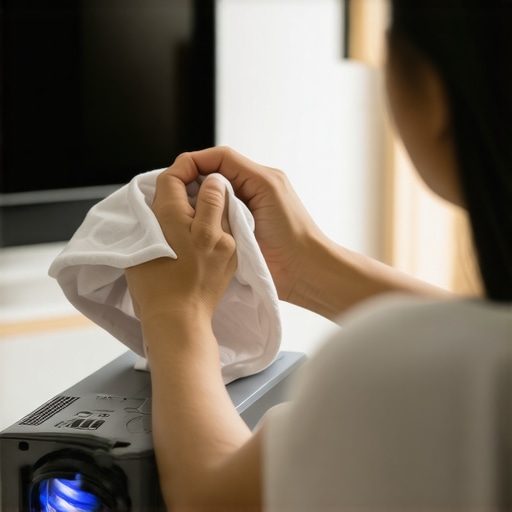
Firstly, regular cleaning of your projector lens and screen is essential. Dust, fingerprints, and smudges can degrade image clarity and contrast. I personally use a microfiber cloth and a gentle, lens-safe cleaner to wipe down my projector lens every few months. For screens, a soft, lint-free cloth with a bit of distilled water or specialized screen cleaner works wonders. Avoid harsh chemicals that can damage delicate surfaces.
Secondly, investing in diagnostic tools like a light meter can help you monitor ambient light levels and ensure your room remains optimized for projection. I use a light meter to check my ambient lighting regularly, adjusting curtains or blinds if necessary. This simple step prevents ambient light from washing out the image, especially in rooms with variable lighting conditions.
Additionally, software tools like calibration software can help fine-tune your projector’s color, brightness, and contrast settings. I recommend using a colorimeter or calibration disc periodically to verify that your projector maintains accurate color reproduction, which is vital for a cinematic experience.
Keeping an eye on the physical condition of your equipment is also key. Check for loose connections, dust buildup inside the projector, or any signs of wear. For example, I open my projector’s vents every six months to remove accumulated dust, which can cause overheating and reduce lifespan. Proper ventilation and occasional internal cleaning prolong your device’s health.
Future Trends in System Maintenance
Looking ahead, I predict that automation and smart home integrations will make maintaining projection setups even easier. Imagine systems that automatically calibrate your projector based on ambient light sensors or notify you when filters need replacing. Staying informed about these innovations will help you adopt new tools that keep your system in top shape effortlessly.
Tools I Recommend for Long-Term Care
My go-to tools include a lux meter for ambient light management, a lens cleaning kit with microfiber cloths and gentle cleaners, and calibration software compatible with my projector. These tools have saved me countless hours and ensured my setup consistently delivers stunning visuals. For screen maintenance, I use a specialized screen cleaner and a soft cloth to prevent scratches and preserve brightness.
Finally, it’s wise to keep a maintenance schedule. For example, I set reminders every 3-6 months to clean and calibrate, ensuring nothing is overlooked. Regular checkups will extend your equipment’s lifespan and keep your projection experience immersive and vibrant for years to come.
Remember, a well-maintained system isn’t just about preserving quality—it’s about enhancing your enjoyment and avoiding unnecessary expenses. Start implementing these maintenance routines today and enjoy flawless projection for years ahead!
The Hardest Lesson I Learned About Screen Gain
- Initially, I believed that a high-gain screen would automatically solve my brightness issues. Turns out, I overlooked the hotspots and glare that come with excessive gain. It took me experimenting with different materials and gains to realize that balancing brightness and uniformity is key.
- Choosing the wrong material surface—like glossy instead of matte—made my image look vibrant but also introduced distracting reflections. The light-rejecting (ALR) screens I finally settled on taught me that material quality can drastically improve contrast in bright environments.
- My biggest breakthrough was understanding that ambient light and projector lumen output should guide my gain choice, not just reviews or popularity. Matching these factors prevented me from wasting money on ineffective setups.
- Regular testing and fine-tuning, including adjusting screen angle and room lighting, proved vital. I learned that setup isn’t a one-and-done process but an ongoing effort to optimize image quality.
My Essential Toolkit for Projector and Screen Optimization
- Light Meter: I use a lux meter to measure ambient light, ensuring my room conditions align with my gain choice. It’s a game-changer for consistent results.
- Calibration Software: Tools like CalMAN or DisplayCal help me fine-tune my projector’s settings for optimal color and brightness, keeping the image sharp over time.
- Cleaning Kit: Regularly cleaning my projector lens and screen with microfiber cloths and gentle cleaners maintains clarity and brightness.
- Projection Calculator: Online tools assist in selecting the right screen size and gain based on my room dimensions and projector throw ratio, simplifying planning.
Your Turn to Shine with Projection Setup
Now that you understand the nuances of gain and material choices, it’s your chance to craft an immersive, bright-room cinematic experience. Don’t settle for washed-out images—apply these insights, experiment with different materials, and fine-tune your setup. The perfect projection is within reach, and with a little effort, you’ll be enjoying stunning visuals in your bright room in no time.
Have you ever struggled to find the right screen material or gain for your space? Share your experiences below, and let’s get the conversation started!
Reading through this post really resonated with my own experience when setting up a home theater in a bright room. I initially opted for a high-gain screen, thinking it would dramatically improve brightness, but I underestimated how hotspots and glare could ruin the viewing experience. After some experimenting, I found that a mid-range gain around 1.8 to 2.0 offered a much more uniform picture without sacrificing too much brightness. It highlights how crucial it is to balance gain with room lighting and projector lumens. Personally, I also discovered that ambient light rejecting (ALR) screens made a significant difference in contrast and glare reduction. It’s interesting to see how much thought really needs to go into matching materials and gain, especially in bright environments. For anyone facing similar issues, do you have tips on how to better evaluate your room’s lighting conditions before choosing a screen? I’d love to hear different approaches others have used to optimize their setups.
This post really hits home with my recent experience upgrading my home theater setup. I used to think the larger the screen gain, the better, especially in my bright living room, but I quickly ran into issues like hotspots and glare that made viewing uncomfortable. After doing some research, I learned that a balanced approach works best—opting for a moderate gain of around 1.8 to 2.0, coupled with the right material, can significantly improve image clarity and comfort. I also found that ambient light rejecting (ALR) screens are incredibly beneficial in bright environments, helping to maintain contrast without harsh reflections. One thing I’d love to know more about is how to accurately assess ambient light during different times of the day, since my room’s lighting varies a lot. Do others here have effective methods or tools for measuring light levels to help choose the perfect screen? I believe understanding one’s specific room conditions is key, and I’m eager to hear different perspectives on optimizing setup based on ambient lighting.
This post really emphasizes the importance of matching your screen gain and material to your specific room conditions. I’ve personally found that upgrading to an ambient light rejecting (ALR) screen with a moderate gain, around 1.8, made a huge difference in my bright living space. It’s easy to fall into the trap of choosing a high-gain screen expecting maximum brightness, but without considering hot spots and glare, the picture quality can actually suffer. I also started using a simple light meter app on my phone to assess ambient light at different times of the day, which helped me select the right gain for my environment. For anyone struggling with washed-out images during daylight, I’d recommend testing your room’s lighting levels first before picking a screen. Do others have tips on how to effectively measure and control ambient light without breaking the bank? I’m curious about the strategies people use to optimize their setups in bright environments.