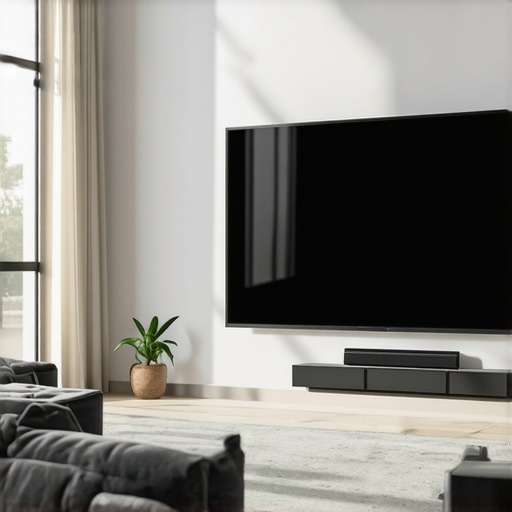
ALR Screen Technology Explained: Top Material & Gain Tips for Bright Rooms
Imagine finally installing that big projector in your bright living room, eagerly dimming the lights for an immersive movie night. But as the picture flickers to life, you’re met with washed-out colors, dull images, and a frustrating haze that ruins the experience. I’ve been there—slamming my hand on the remote, wondering if I’d just wasted hundreds of dollars. That moment of disappointment was a lightbulb for me: I needed a better solution tailored for bright environments. If you’ve faced similar frustrations, you’re not alone. The good news is, with the right knowledge, you can turn your space into a true home theater haven, even in daylight or well-lit rooms.
Why Bright Rooms Demand Special Projection Screen Solutions
Many folks assume that a projector will magically work regardless of ambient light. But that’s a myth—especially if you’re using a standard screen designed for dark rooms. Bright environments require a screen capable of bouncing back enough light to keep images vivid and detailed. Otherwise, you’ll be stuck with images that look flat, washed out, or barely watchable. The secret lies in selecting the appropriate screen material and gain tailored for your specific needs.
In my early days, I made the mistake of choosing a cheap, high-gain screen without understanding its impact. I thought brighter was better—until I realized the image was overly reflective, creating annoying hotspots and glare. That was a costly mistake that set me back, both financially and in frustration. Over time, I learned that selecting the right screen gain is essential for bright rooms, helping you get the sharp, colorful images you want without the glare. Don’t fall for the misconception that all screens are equal; the difference in materials and gain ratings can make or break your viewing pleasure.
Is High Gain the Answer or a Miracle Cure? Here’s What You Need to Know
One of the biggest questions I hear is whether a high gain screen is always the best choice. Honestly, I was skeptical at first, thinking a higher gain meant better brightness across the board. But it’s not that simple—much depends on your environment and what you expect from your setup. I once bought a super high-gain screen for my sunlit living room, expecting miracles. Turns out, it created glare and hotspots that made viewing difficult. The trick is balancing gain with your room’s lighting and seating arrangement, a concept explained thoroughly in ALR screen options. Properly understanding these factors is my secret weapon now, and it can be yours too.
Select the Right Screen Material and Gain for Your Space
Start by choosing a screen material with suitable reflectivity. For bright environments, opt for high-gain screens like 1.8 or higher, which reflect more light back to your eyes, enhancing brightness. But beware—too high a gain can create hotspots and glare, so balance is key. I once bought a 2.2 gain screen assuming it would brighten my room significantly, but I quickly noticed uneven brightness and hotspots. Profiting from this guide, I shifted to a 1.8 gain screen, achieving crisp and evenly lit images. When selecting, consider the room’s lighting and seating layout to find your ideal gain level.
Match Your Screen Size with Your Room’s Dimensions
Next, pick the appropriate screen size to maximize immersion without overwhelming the space. Think of your screen like a window frame: too small, and you miss details; too large, and it can be overwhelming or distort the image. Use the size guide to calculate optimal dimensions based on your room’s distance. I once attempted a massive 120-inch screen in a small living room; the image looked pixelated and uncomfortable. Reducing it to 100 inches based on the guide improved clarity and comfort while maintaining immersion.
Choose a Material That Enhances Brightness and Clarity
Material impacts how well your projector handles ambient light. For bright rooms, select a material specifically designed for high ambient light rejection—often with a matte or specialized ALR (Ambient Light Rejection) coating that directs light away from your eyes while bouncing projector images forward. I experimented with multiple materials, eventually settling on a high-contrast, ALR surface, which significantly improved image quality during daytime. Check the material guide to understand which options suit your setup best.
Position Your Screen and Seating for Optimal Viewing
Placement is crucial. Position your screen to avoid direct ambient light sources and reflections. Seating should face the screen directly, at a 1.5 to 2.5 times the screen width distance—for example, a 100-inch screen warrants about 12-20 feet of viewing distance. I initially placed my screen closer, which caused limited viewing angles and washed-out images, but moving seats back improved visibility and contrast. Use dimensions from the size and positioning guide to get this right.
Adjust Projector Settings for Bright Environments
Finally, calibrate your projector’s brightness, contrast, and color settings specifically for a bright room. Increase the light sensor sensitivity if available, and set the brightness to a level that maintains vividness without washing out the image. I found that manually boosting contrast and adjusting gamma helped preserve colors and details, even in daylight. Consulting projector calibration techniques in calibration guides can help fine-tune your setup for the best results.
Many enthusiasts believe that choosing a projection screen is a straightforward decision of picking the largest size and the highest gain. However, this oversimplification often leads to suboptimal setups that underperform in real-world conditions. Let’s **dig deeper** into what most people get wrong about screens, especially regarding **ALR technology, gain ratings, material choices, and sizing**. Understanding these nuances can elevate your home theater experience from basic to expert-level.
Is a higher gain always better for daylight viewing?
Contrary to popular belief, higher gain screens—say above 2.0—don’t guarantee brighter images in bright rooms. Excessively high gain surfaces tend to create hotspots and glare, which can annoy viewers rather than enhance clarity. Advanced experts recommend opting for screens around 1.8 gain for bright environments, balancing brightness and uniformity. For a comprehensive guide, check out this detailed gain guide. Many assume that gain alone determines brightness, but the material’s reflectivity and an even coating matter just as much, if not more.
It’s also a common myth that ALR (Ambient Light Rejection) screens are always superior in daylight. While ALR surfaces are excellent at deflecting ambient light, their effectiveness heavily depends on the quality of the material and the room’s light sources. Not all ALR screens are created equal; some rely on optical coatings that can distort colors or reduce contrast if improperly chosen. Expert reviews emphasize matching the correct ALR technology with your specific environment, which brings us to a crucial point—screen material and gain are interconnected.
Advanced mistake to avoid: oversizing your screen based on room size alone
This is a trap many fall into: increasing screen size in pursuit of cinematic immersion without considering the room’s dimensions and typical seating distance. Oversized screens can cause images to appear pixelated or stretched, and reduce perceived contrast. Using the screen size calculator, tailored to your space, can prevent costly mistakes. Remember, the ideal screen size optimizes immersion without sacrificing image quality or comfort.
Furthermore, the misconception that all screen materials are equivalent often leads to poor choices. For instance, matte surfaces excel at easing ambient light issues but may dull image contrast. Conversely, high-contrast ALR surfaces amplify brightness but can introduce color shift if not properly aligned. Consider your room’s lighting conditions and choose a material that enhances your projector’s capabilities—don’t just pick the most popular or expensiveoption blindly.
Finally, many assume that screen setup is only about size and gain, but calibration plays a critical role. Adjusting projector settings to match your screen’s properties ensures maximum benefit from your investment. This small step can dramatically improve image clarity, brightness, and color accuracy, especially in challenging lighting environments. For expert tips on calibration, read this calibration guide.
Have you ever fallen into this trap? Let me know in the comments and share your experiences!
Keeping your home theater projection setup in top shape requires more than just installation — it demands consistent maintenance and the right tools. One essential component is your projection screen material itself, which can degrade over time if not properly cared for. To preserve excellent image quality, regularly inspect the surface for dust, fingerprints, or scratches that might diminish reflectivity and gain. Gently clean the surface with a soft, lint-free cloth slightly dampened with water or a mild screen cleaner—never abrasive or ammonia-based products—to avoid damaging the coating.
In my experience, using specialized tools like a microfiber cleaning cloth and a compressed air can help remove stubborn dust particles without scratching the surface. For example, periodically blowing out dust from the edges and surface prevents buildup that could cause uneven brightness or hotspots, especially on high-gain screens. Keeping the ambient environment stable — avoiding excessive humidity or temperature fluctuations — also prolongs the lifespan of your screen, as extremes can lead to warping or coating deterioration.
When it comes to equipment, investing in a quality projector calibration tool like the X-Rite i1Display Pro can dramatically improve image consistency. This device allows precise adjustments of color, contrast, and brightness, which is crucial for ensuring your projector matches the characteristics of your screen material and gain. Regular calibration — ideally every few months — ensures long-term optimal image quality, especially if ambient lighting conditions change or bulbs age.
As I predict the trend heads towards smarter, self-calibrating systems, I see more projectors integrating ambient light sensors and automatic correction algorithms. While these innovations are promising, manual calibration remains invaluable for fine-tuning image quality. That’s why I recommend maintaining a dedicated calibration schedule and using the right software like CalMAN or DisplayCAL for detailed adjustments.
How do I maintain my projection screen over time?
The key lies in gentle cleaning routines, environmental stability, and periodic calibration. For your screen, avoid harsh cleaning agents and stick to soft cloths and mild cleaners. Keep the environment controlled—watch humidity and temperature—and regularly inspect for surface damage or dust. Pair these practices with a high-quality calibration tool like the proven calibration methods, and your display will stay sharp and vibrant for years. Be proactive: schedule quarterly maintenance and calibration sessions; your future self will thank you for the crisp, bright images day after day. Start by trying out the calibration routine with your projector today to experience immediate improvements—small steps lead to lasting results.
The Hardest Lesson I Learned About Projection Screens and Gain
One pivotal moment was realizing that bigger isn’t always better. I once chose an enormous 120-inch screen for my compact living room, only to find the picture pixelated and overwhelming. It taught me that understanding your room’s dimensions and choosing the right screen size is crucial for clarity and comfort. It’s tempting to chase the biggest screen, but sometimes, moderation leads to a much better experience.
The Myth of Higher Gain and Daylight Brilliance
I believed that a gain of 2.2 would double my brightness, but the glare and hotspots proved otherwise. It’s now clear that an optimal gain around 1.8 balances brightness with image uniformity—an insight reinforced by expert guides. Overdoing gain can diminish the image quality, so understanding the nuances saves you from costly mistakes.
Why Material Matters More Than You Think
Initially, I overlooked the importance of material, thinking all surfaces would serve equally. The switch to an ALR surface with matte coating transformed my daytime viewing. It demonstrated that selecting a material specifically designed to reject ambient light makes a dramatic difference, as detailed in this in-depth resource. Your choice of material directly influences color accuracy and contrast — don’t neglect this step.
Seat and Screen Placement Can Make or Break the Experience
I once mistakenly placed my seating too close, which compromised contrast and introduced glare. Moving seats further back, guided by this sizing and positioning advice, drastically improved picture clarity and comfort. Proper placement helps your projector work its magic, especially in bright rooms.
Investing in Calibration and Maintenance Pays Off
Regular calibration with tools like the recommended guides ensures your projectors and screens deliver their best performance over time. Cleaning the screen surface and adjusting settings according to ambient light conditions has kept my setup vivid and sharp, proving maintenance is essential for longevity and quality.
The Unexpected Power of Room Environment Control
Controlling ambient light sources and rethinking room design can elevate your projector’s brightness and contrast, often more effectively than hardware upgrades alone. Using blackout curtains and strategic furniture placement, inspired by this comprehensive guide, helps achieve stunning daytime images, transforming your bright room into a home theater sanctuary.
My Final Reflection — Comfort Meets Clarity
Through experimentation and patience, I discovered that mastering projection in bright rooms isn’t about chasing hardware alone—it’s about context, choices, and care. This journey has made me appreciate the nuanced balance between gain, material, size, and setup. Remember, building a perfect bright-room projection experience is an ongoing process, but each step offers meaningful improvements that bring your cinematic dreams to life.
Where Will Your Bright Room Journey Lead?
Now that you’ve seen what’s possible, I encourage you to experiment with your own space. Take the time to choose the right screen material, size, and placement, and don’t forget to calibrate regularly. With patience, you’ll turn even a sunlit room into a vibrant movie theater. What challenges have you faced in bright room projection? Share your experiences below and let’s grow together in this cinematic pursuit!
Reading through this detailed guide about ALR screens and gain techniques really resonated with me. I remember initially choosing a high-gain screen, convinced it would solve my daylight viewing issues, but I ended up with hotspots and glare that made watching uncomfortable. It was a classic case of overestimating gain’s importance without considering room conditions. The advice to balance gain around 1.8 is spot on and has completely transformed my setup. I also appreciate the emphasis on material choice—my switch to an ALR matte surface significantly improved my daytime picture quality. One thing I’ve learned from my experience is how critical proper placement and calibration are; even the best screen can underperform if your seating is too close or your projector isn’t tuned for ambient lighting. Have others found that room layout adjustments have helped improve their overall projection quality? I’d love to hear strategies that worked for different spaces, especially in small rooms where space is tight for optimal seating distance.
Reading this post really highlighted how much thought needs to go into choosing the right projection screen for bright rooms. I can relate to the frustration of buying a high-gain screen only to face glare and hotspots that ruin the viewing experience. Switching to an ALR matte surface made a significant difference for me, especially with ambient light control strategies like blackout curtains and proper seating distances. It’s interesting how room layout and calibration can make or break a setup, even with the best equipment. I’ve also experimented with adjusting projector settings and found that reducing brightness slightly while increasing contrast improved overall clarity without washing out colors.
One challenge I’ve faced is balancing screen size with room dimensions—too large, and it becomes uncomfortable; too small, and it diminishes immersion. How do others here approach fine-tuning size and placement for smaller or oddly shaped rooms? Are there specific tools or techniques you’ve found especially helpful for optimizing setup in limited space? Would love to hear insights from those who have managed to create a cinema-like feel in compact environments.
This post really resonates with me, especially the importance of selecting the right screen material and gain for bright rooms. I remember making a similar mistake early on by choosing a high-gain screen, thinking it would automatically solve my daylight viewing issues, but it actually introduced glare and hotspots that made the experience less enjoyable. Switching to an ALR matte surface combined with proper room lighting adjustments made a huge difference. Also, I found that adjusting the projector’s calibration—especially contrast and gamma—helped me get images that are both bright and detailed without washing out colors.
In smaller rooms, I’ve learned that a slightly smaller screen, paired with strategic placement and lighting control, often yields the best immersive experience. Do others here have tips on balancing screen size with room dimensions? Any portable or adjustable screen options that work well for versatile spaces? I’d love to hear what’s working for different room setups, particularly for those of us with limited space but big projection dreams.