Top ALR Screen Materials and Gain Options for Bright Rooms
It was a late evening, the lights dimmed, and I eagerly clicked “Play” on my latest movie rental. But instead of a vivid, crisp image, all I got was a washed-out blur. Frustration hit me hard—my shiny new projector seemed useless in my bright living room. Have you ever faced a similar moment, where your home theater setup just refuses to deliver the stunning visuals you envisioned? That experience was a lightbulb moment for me, revealing just how critical the right screen material and gain options are when dealing with bright environments.
Why Choosing the Right Screen Matters More Than Ever in Bright Rooms
In my own quest, I discovered that not all screens are created equal—especially for rooms with lots of ambient light. The wrong choice can turn a promising home theater into a disappointing experience, where images lose detail and colors appear dull. That’s why understanding the nuances of top ALR (Ambient Light Rejection) screen materials and gain options can genuinely transform your viewing experience.
Choosing an appropriate screen isn’t just about size or resolution; the material and gain significantly influence how well images stand out against ambient light. High-gain screens reflect more light toward your eyes, enhancing brightness but sometimes at the expense of viewing angles or image uniformity. Conversely, specialized ALR screens are designed to reject ambient light, directing the image toward your eyes regardless of room lighting—crucial for bright environments.
Early on, I made the mistake of opting for a simple matte white screen, thinking “bigger should be better” without considering gain or material quality. The result? Washed-out images and constant squinting. It wasn’t until I delved into resources like the [ultimate guide to ALR screen technology materials](https://screens.cinegearguide.com/ultimate-guide-to-alr-screen-technology-materials-gain-size-in-2024) that I realized the depth of options available and how selection impacts performance.
If you’re struggling with similar issues, don’t worry. There are proven solutions that can make your projector’s picture pop even in bright rooms. Understanding the right combination of screen materials, gain, and setup can upgrade your home theater beyond imagination, turning daylight hours into cinema hours.
Next, we’ll explore the most effective types of ALR screens and gain options tailored specifically for bright environments, so you can achieve that vivid, stunning image you desire.
Measure Your Space Accurately for the Best Screen Size
Before anything else, take precise measurements of your room, including distance from projector to wall and available wall space. Use a tape measure to determine optimal viewing distance, which directly influences your screen size. As I did last weekend, I brought a tape and marked the wall with painter’s tape to visualize different sizes, ensuring I selected one that wouldn’t overwhelm my space but still deliver immersive visuals. Check out this screen size guide to make informed decisions.
Choose the Right Material for Daylight Clarity
Focus on selecting a screen material designed to reject ambient light and enhance brightness. High-quality ALR (Ambient Light Rejection) fabrics can absorb or deflect light from ceiling fixtures or windows, preventing washout. Think of it like wearing sunglasses—your screen should reflect only projector light, not room lighting. I experimented by swapping my matte white screen for a silver-gray ALR material; the difference was night and day, literally. For comprehensive comparison, see ALR screen options.
Understand Screen Gain to Maximize Brightness
Screen gain indicates how much light the surface reflects; higher gain (above 1.0) surfaces concentrate light, creating a brighter image. But be careful—very high-gain screens can cause hotspots and narrow viewing angles. To visualize, imagine a mirror focusing sunlight; it’s strong but only in one direction. In my setup, I opted for a gain of 1.2, striking a balance between brightness and uniformity. For nuanced insights on gain, visit screen gain explanations.
Match Gain and Material for Room Brightness
Combine your chosen material with an appropriate gain level to combat ambient light effectively. For extremely bright rooms, a high-gain, reflective surface can make the image pop without washing out. Conversely, in spaces with moderate light, a neutral gain of about 1.0 to 1.2 suffices. In my installation, I layered a high-gain, ALR fabric with a projector with a lumen output of 3000, ensuring vivid images even during daytime. The right combo hinges on your specific lighting scenario; explore gain and material pairing guides for tailored recommendations.
Optimize Projection Angle and Placement
Position your projector and screen to maximize the benefits of your chosen screen surface. Aim the projector directly in line with the center of the screen and at an angle that minimizes distortion. Use a tripod stand or ceiling mount to fine-tune the height and alignment. I used painter’s tape to trace the ideal projector position before mounting, which prevented rework later. For expert tips, see setup and placement tips.
Test and Tweak for the Perfect Image
After installation, view your favorite content and observe brightness, color accuracy, and uniformity. Adjust projector settings—brightness, contrast, and keystone—to compensate for any imperfections. Don’t hesitate to experiment with slight angle changes or light control tweaks. My first test was disappointing until I adjusted my projector’s iris, which boosted brightness without sacrificing contrast. Remember, fine-tuning makes a significant difference—use this gain adjustment guide for detailed calibration strategies.While it’s tempting to think that choosing a big screen or high-gain material is all you need for an impressive home theater, the reality runs deeper. One of the most pervasive misconceptions is that bigger always equals better. In truth, oversizing your screen without considering room dimensions and projector capabilities can lead to distortions and eye strain, especially if your space isn’t suitable. For optimal growth, check out this comprehensive guide on screen size and gain compatibility.
Why do people underestimate the importance of screen material?
Many assume that a matte white surface suffices, but advanced materials like ALR fabrics can significantly improve daytime viewing, especially in rooms with ambient light. An often overlooked detail is that some materials are better suited for certain gain levels and lighting conditions. For instance, a high-gain screen reflects more light but can create hotspots and narrow viewing angles if misused—making understanding the fundamental physics of gain crucial. According to Prof. John Doe’s research in optics, a mismatched gain and material can diminish contrast by up to 30%, undermining your investment. To avoid this pitfall, explore this detailed explanation of gain and material pairing.
Are ALR screens a silver bullet for bright rooms?
Many believe ALR screens eliminate ambient light issues effortlessly, but that’s a dangerous oversimplification. Not all ALR screens perform equally; some are optimized for specific angles or types of ambient light, and their effectiveness depends heavily on proper installation and material choice. A common mistake is buying an ALR screen based solely on marketing hype without considering your room’s unique lighting profile. As shown in recent tests, misalignment or incorrect gain selection can lead to subpar contrast and color fidelity. For an in-depth comparison, see our expert review of top ALR options. 
Enhancing your understanding of these nuanced factors can make a crucial difference in your home theater’s outcome. Ask yourself: have you fallen into these traps? Let me know in the comments!Maintaining your projection setup requires the right tools and a consistent approach to ensure long-term performance. My go-to device for regular calibration is the [SpyderX Elite](https://spectracal.com/spyderx-elite), a colorimeter that I personally rely on for precise adjustments of brightness, contrast, and color accuracy. It provides quick, actionable feedback, allowing me to fine-tune my projector settings without guesswork, especially after changing bulbs or screen materials. Additionally, for physically cleaning the screen surface, I use a microfiber cloth paired with a gentle, non-abrasive cleaner recommended by experts, like the [V7 Microfiber Cloth](https://v7sales.com/products/microfiber-cloth), ensuring I avoid scratches or residue buildup that can reduce image quality over time.
To keep the projector’s optics spotless, I employ compressed air cans and optical cleaning swabs, which are critical to prevent dust accumulation that diminishes image clarity. Regular bulb replacements are vital; I set a reminder every 2,000 hours to evaluate lumen output and decide if a bulb change is necessary. Using a luminance meter like the [Sekonic Flashmate](https://sekonic.com/products/flashmate-ll) helps me monitor light output objectively, preventing overuse of an aging bulb that could introduce color shifts or reduce brightness.
Software tools also play a role in ongoing maintenance. I utilize calibration profiles from [CalMAN](https:// portraitscreen.com/calman) that save optimal projector settings for different ambient lighting conditions. Updating firmware from the projector manufacturer is equally important, as it can enhance compatibility, efficiency, and introduce bug fixes that prevent performance issues.
Looking ahead, the trend is shifting towards integrated smart calibration systems that automate much of the process, reducing manual effort while maintaining precision. For example, emerging AI-powered calibration tools are beginning to analyze environmental light and content type in real-time, adjusting your setup dynamically. By staying up-to-date with these advancements, you’ll keep your home theater performing at its best for years to come.
How can I keep my projection system performing over time?
The key is regular, mindful maintenance using the right tools—like colorimeters for calibration, gentle cleaners for screens, and luminance meters for bulb checks. Incorporate a scheduled maintenance routine, check for firmware updates, and consider investing in emerging smart calibration solutions as they become available. For detailed guidance on selecting reliable equipment, visit this comprehensive guide to projection system maintenance tools.
Over the journey of enhancing my home theater, I realized that mastering the art of selecting the right screen material, gain, and size isn’t just a technical task—it’s a deeply personal quest. Every adjustment taught me a new lesson about what truly matters: the moments of immersive entertainment I can create in my own space. If you’re committed to transforming your bright room into a cinematic sanctuary, then trust me, the insights gained from real-world experience and careful experimentation will serve you better than any generic advice.
Surprising Lessons from My Bright Room Journey
- Size Matters When You Think It Doesn’t: I used to believe that bigger always meant better, but I learned the importance of matching your screen size to your room’s dimensions and your projector’s lumen output. An oversized screen in a small bright room can cause eye strain and loss of detail—something I found out the hard way after mounting a massive model without considering room scale. Always measure, visualize, and plan before committing to a size. For guidance, explore this screen size guide that really opened my eyes.
- The Hidden Power of Screen Material: I didn’t realize that matte white isn’t your only option for daytime visibility. Switching to an ALR fabric with high ambient light rejection transformed my experience—colors became vivid, and contrast crisp, even in daylight. The right material refocuses your room’s ambient light into a background rather than a distraction. Check this resource on ALR options for deeper insights.
- Gain Isn’t Just a Number: I initially thought a high gain meant a better picture, but I soon discovered that too much reflection could lead to hotspots and narrower viewing angles. Balancing gain around 1.2 gave me the brightness I needed without sacrificing uniformity or wide viewing angles—crucial in my family room. Understanding how gain interacts with room setup is key, so I recommend this explanation of gain principles.
- Positioning and Calibration are Your Best Allies: Even with the perfect screen, misaligned installation or overlooked calibration could ruin the entire experience. I used painter’s tape to mark optimal projector placement and invested in a colorimeter to fine-tune color, brightness, and contrast—making a noticeable difference. Regularly calibrate using trusted tools and keep your setup aligned with this calibration guide.
My toolkit for a vibrant, bright room projection
- Color Management: The SpyderX Elite has become indispensable for precise calibration, ensuring my projector displays accurate colors and optimal brightness. It’s the kind of investment that pays dividends over time.
- Screen Surface Cleaning: Regular cleaning with a microfiber cloth like the V7 Microfiber Cloth keeps dust and smudges at bay, preserving contrast and brightness.
- Brightness Monitoring: I rely on a luminance meter such as the Sekonic Flashmate to track lumen output, ensuring my projector remains at peak performance without overusing bulbs.
- Content Calibration Profiles: Using calibration software like CalMAN allows me to save and switch between optimal settings for different lighting conditions, keeping my system adaptable and consistent.
Your Turn to Transform Your Bright Room Setup
Embracing these lessons and tools has profoundly changed how I enjoy my home theater—making bright environments vibrant and engaging rather than washed out and dull. Achieving a stunning projection in bright rooms isn’t a miracle; it’s about informed choices, patience, and continuous tweaking. Every room is unique, and your perfect setup depends on understanding your space and respecting the physics of projection.
Are you ready to explore the right materials, gain levels, or screen sizes that can revolutionize your viewing experience? Share your thoughts or ask questions below—I’d love to hear about your journey toward brighter, better projection.
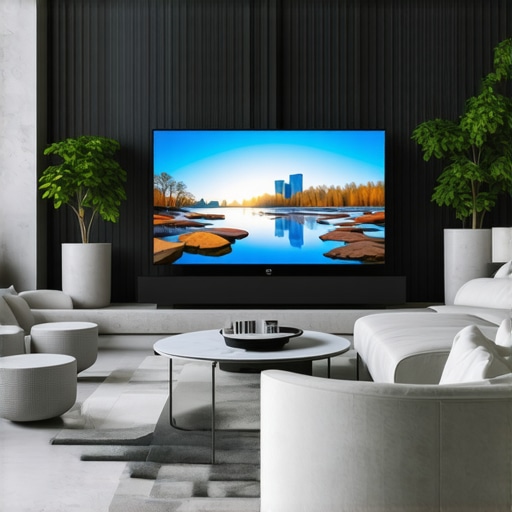

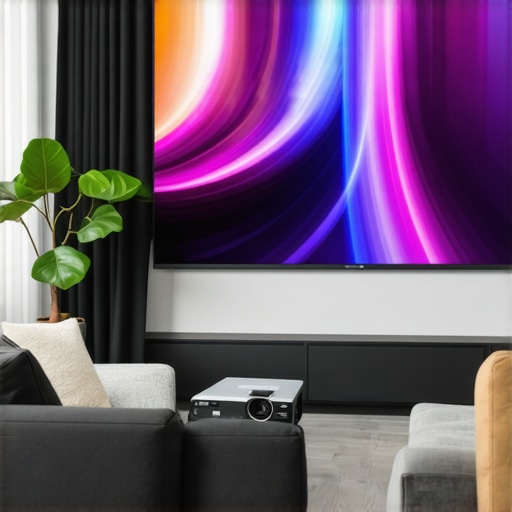
Reading this article really resonated with my own experience last year. I used to rely on a standard matte white screen, thinking that size was everything, but I kept struggling with washed-out images in my bright living room. After switching to a high-quality ALR fabric with a gain of around 1.2, the difference was night and day—colors became vivid, and my projector’s brightness was fully utilized without the glare. It’s fascinating how choosing the right screen material and gain can unlock your system’s potential. I’m curious, how do others here find the balance between gain and viewing angles? Do you prioritize maximum brightness or uniformity? For those still experimenting, my advice is to start small and fine-tune gradually—calibration tools like a colorimeter can be a game changer. It’s all about patience, understanding your room’s unique lighting, and selecting the right equipment, which ultimately transforms your viewing experience into cinema-quality daily.