Stop Buying PVC: 5 Woven Screen Materials for 2026 Atmos Setups
I remember the frustrating moment when I realized my old projection screen was washing out colors, and I was battling the glare of my fluorescent lights. It hit me — choosing the right screen material isn’t just about saving a few bucks anymore; it’s about transforming my entire viewing experience. I had invested time and money into my home theater, but my setup still fell short. That lightbulb moment led me down a path where I discovered that not all woven screen materials are created equal, especially when planning for Atmos setups in 2026. You see, I used to buy cheap PVC screens because they seemed convenient and budget-friendly. But after a series of disappointing results, I learned that certain woven materials can genuinely enhance brightness, contrast, and color fidelity. Today, I want to share my journey and help you avoid making the same costly mistakes. If you’re tired of dull images and washed-out colors, read on. I promise you, upgrading your screen material can be a game-changer, especially with the rapid evolution of projector technology and the increasing demands of immersive audio-visual setups.
Why Your Choice of Screen Material Matters More Than Ever
As projector technology advances, particularly with high Dynamic Range (HDR) and 4K/8K resolutions, the quality of the screen material becomes critical. The wrong choice can diminish contrast, wash out colors, and ruin an otherwise stunning home theater. When I initially built my setup, I thought any white PVC screen would do the trick. It didn’t. I was unaware that factors like screen gain and weave patterns significantly influence how projected images appear in different lighting conditions. Choosing the right woven fabric can help me maximize brightness while maintaining clarity, even in bright rooms. This is especially vital as we look ahead to 2026, when projections demand more from our screens than ever before. If you’re still using outdated materials, you might be missing out on the vibrant, sharp images modern projectors can deliver. Want to learn more about how selecting the ideal material impacts your viewing experience? You can dive into our detailed guide on understanding screen gain and material options. Let’s look at common pitfalls and how to avoid them. Which problem have you faced with your current screen material? Drop a comment below—I’d love to hear your story and help you find solutions that work.
Select the Right Screen Size for Your Space
Measure your room carefully before selecting a screen. Think of it like choosing a TV size; too large or too small can diminish your experience. Use a tape measure to determine the distance from your seating area to where the screen will hang. A good rule is that the viewing distance should be approximately 1.5 to 2.5 times the diagonal size of your screen to ensure optimal clarity without eye strain. For example, if your sofa sits 12 feet from the wall, aim for a screen between 100 to 150 inches diagonally. To refine this, consult our screen size calculator and avoid the common mistake of underestimating the ideal size, which can cause you to squint or miss details.
Deciphering Screen Gain and Its Impact
Now, think of screen gain as the brightness amplifier. A low-gain screen (around 0.8) absorbs more light, producing darker images but requiring darker rooms and more powerful projectors. Conversely, a high-gain screen (above 1.3) reflects more light, making images brighter, which is ideal for rooms with ambient light. During my first DIY attempt, I used a 1.0 gain screen, but my room was lit by windows during the day, washing out the image. Installing a high-gain material upgraded my brightness and contrasted beautifully with my ambient lighting. To find the best match, consider your projector’s lumen output and room lighting; experts recommend a gain that balances brightness and contrast. For more in-depth advice, see our buying guide to screen gain.
Choosing the Right Material for Bright Rooms
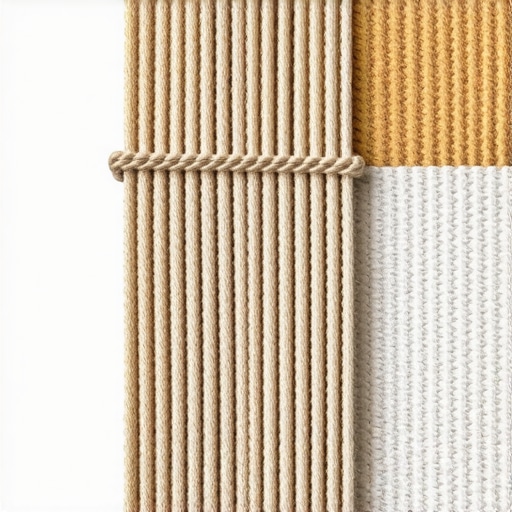
If your home theater has a lot of natural light or ceiling lights, you need a screen that fights glare and maintains vivid colors. Matte white screens tend to wash out, so opt for specialized woven surfaces like ambient light-rejecting (ALR) fabrics. These fabrics are woven to reflect light from the projector while absorbing ambient light from other sources, drastically improving picture quality. I experimented with a basic white screen, but it never looked sharp during daytime. Switching to an ALR fabric transformed my viewing experience in sunny conditions. When selecting material, consider its gain and weave pattern. Tightly woven fabrics with a higher gain (around 1.3-1.5) often perform well in bright environments. Checking out our comprehensive guide on material gain can help you find the best option for your specific room lighting.
Mastering the Art of Balance: Gain vs. Size
It’s tempting to go big, but larger screens require more light and a compatible gain to avoid dull images. Think of it like adjusting a camera’s aperture—the larger the size, the more brightness you’ll need to compensate. For instance, going from a 100-inch to a 150-inch screen requires a projector with higher lumen output or a more reflective surface. Use resources like our size, gain, and material guide to get this combination right. I once tried a massive 150-inch setup with my compact projector; the picture was washed out, but after switching to a high-gain fabric and reducing the size slightly, the image popped vibrantly. Remember, a well-balanced setup ensures you won’t need to crank your projector’s brightness to the maximum, preserving longevity and image fidelity.
Test Before You Commit to a Final Choice
Always test materials if possible. I borrowed fabric samples to compare how they handled ambient light and contrast in my room. A quick test with a test pattern revealed significant differences. Hold small samples of various fabrics up in your space, and project test images to see how they perform under your typical lighting. This practical step saved me from investing in a material that looked great in store but flopped at home. For detailed test procedures, check the testing tips for projection screens to ensure your final selection delivers consistent quality.While many assume that picking the largest screen or the highest gain material guarantees a stunning image, the reality is far more nuanced. One common misconception is that a bigger screen always results in a better viewing experience. In truth, excessive size without considering room dimensions and projector capabilities can lead to a washed-out, dim picture, especially in rooms with ambient light. This is why understanding the interplay between screen size and gain is crucial. For instance, selecting a screen beyond what your projector can comfortably illuminate will diminish contrast and color accuracy, regardless of its size. To avoid this trap, check out our comprehensive size and gain guide and tailor your choice to your specific setup.
Another overlooked aspect involves the choice of screen material and its impact on perceived sharpness and color fidelity. Many believe that a matte white surface suffices, but in bright rooms, this can cause glare and wash out images. Advanced woven surfaces like ambient light-rejecting fabrics are engineered to combat this issue. They work by reflecting projector light towards viewers while absorbing ambient light, thereby preserving image clarity. However, selecting a high-gain fabric isn’t always better; in bright environments, overly reflective screens can produce hotspots and uneven brightness. Here’s a crucial tip: balance gain with room lighting conditions and project accordingly. Dive deeper into ALR options and material insights to find your perfect match.
Consider also the myths surrounding screen gain values. Many think that a gain of 1.5 is always superior to 1.0, but this overlooks the importance of context. Higher gain screens reflect more light, making images brighter but reducing viewing angles and introducing hotspots. Conversely, lower gain screens offer wider viewing angles but require a darker room or more projector brightness. The key is understanding your specific room dynamics and projector specs. In a dark room testing different gains can reveal which setup delivers consistent brightness and contrast. And remember, an expert from our detailed guide emphasizes that optimal gain depends on your environment, not a one-size-fits-all number.
So, how do you ensure you’re not falling into these common pitfalls? First, avoid the misconception that bigger and higher gain equate to better visuals without considering your room’s lighting and projector capacity. Second, test various materials and gains with your actual setup rather than relying solely on store displays or generic advice. Finally, continually educate yourself using authoritative resources to make informed decisions tailored to your unique environment.
Have you ever fallen into this trap? Let me know in the comments. Remember, mastering these nuances ensures your home theater delivers cinema-quality images, making every movie night an immersive experience.
Tools I Recommend for Reliable Projection Setup Maintenance
Maintaining an optimal home theater setup requires more than just initial investment; it demands diligent care using the right tools. Personally, I rely heavily on a high-precision colorimeter, like the X-Rite i1Display Pro, to calibrate my projector and screen periodically. This device allows me to measure color accuracy, luminance, and contrast levels with pinpoint precision, ensuring my image remains vibrant and true to source. Using calibration software such as CalMAN or LightSpace allows for a detailed analysis and adjustment of my projector settings, which is vital as ambient lighting or bulb performance might drift over time. Additionally, routinely cleaning my screen with a microfiber cloth and a gentle, alcohol-free cleaner prevents dust and fingerprints from dulling the image quality. Considering future-proofing, I also keep an eye on firmware updates from my projector manufacturer, as these often include enhancements for color management and image processing that can extend my setup’s lifespan.
Employing these tools and practices means I can catch and rectify issues early, preserving the long-term quality of my projection experience. As projector technology continues to evolve rapidly — especially with the advent of high dynamic range (HDR) and 8K resolution — maintaining calibration becomes even more critical to leverage new features fully. I predict that as AI-driven calibration tools become mainstream, maintaining output consistency will become more accessible for enthusiasts and professionals alike, making setup upkeep more intuitive and less time-consuming.
How do I keep my projection system working over the long haul?
The key is establishing a regular maintenance routine that involves testing, calibration, and cleaning, complemented by using precise tools like colorimeters and calibration software. Scheduling monthly checks helps catch fluctuations early, preventing image quality degradation. Also, staying informed about firmware updates and applying them diligently ensures your equipment uses the latest optimizations, which can prolong its useful life and enhance performance. For a detailed guide on calibration best practices, see our comprehensive guide to understanding and maintaining screen and projector calibration.
For screen longevity, consider investing in a protective cover or storing removable screens properly if you move or renovate. Be mindful of environmental factors too: high humidity and dust can harm delicate electronic components and degrade screen surface quality over time. Using an air purifier in your theater room and ensuring proper ventilation will help preserve your setup’s integrity.
Remember, keeping your projection system working flawlessly is an ongoing process. Implementing these tools and routines will help you enjoy sharper, more vibrant images for years to come—just like I do. Try incorporating a colorimeter check into your monthly maintenance; it could be the game-changer your setup needs.
After years of tinkering and learning from mistakes, I realized that the journey to a flawless home theater isn’t just about high-end projectors or flashiest sound systems—it’s about the nuances of your screen setup. One revelation that transformed my experience was discovering how minor tweaks in screen gain and material can make a world of difference, especially as technology advances toward 2026. Investing in quality woven fabrics and understanding their impact on brightness and contrast has unlocked a new level of immersion in my viewing sessions. This path taught me that paying attention to these details isn’t a luxury—it’s essential for anyone aiming to enjoy cinema-grade visuals at home.
The Surprising Power of Screen Material Choices
I used to think all projection screens were equal, but I learned that the weave pattern and material composition significantly influence image quality. For bright rooms, switching to ambient light-rejecting fabrics truly enhanced contrast and color fidelity, helping me fight glare and ambient noise. If you’re still relying on basic white screens, consider exploring the specialized woven surfaces that are tailored for high Dynamic Range content and increased resolution demands of 2026. By doing so, you’ll be able to enjoy vibrant, sharp images regardless of your room’s lighting conditions.
Why Testing Truly Matters Before Finalizing
Nothing prepared me better than physically testing different screen materials with projected test patterns in my room. Holding samples up against my setup revealed how ambient light and viewing angles affected image quality—insights that no store display could provide. This process saved me from costly mistakes and set the foundation for long-term satisfaction. I encourage you to procure samples and observe how they perform under your typical lighting, ensuring your decision is grounded in real-world performance. Our testing tips can guide you through this crucial step, transforming guesswork into confidence.
My Top Lessons in Balancing Screen Size and Gain
The temptation to go big is strong, but exceeding your projector’s native brightness can lead to dull, washed-out images. I learned that optimizing your screen’s gain and size is about harmony—matching your projector’s lumen output with the room’s ambient light. For instance, a high-gain screen paired with a 150-inch size can overwhelm a modest projector, whereas a more conservative setup yields vibrant results. Remember, the goal isn’t just impressive size but clarity and contrast. Our comprehensive guide helps you find that sweet spot tailored to your space and equipment.
Leveraging Expert Insights for Future-Proofing
Over time, I’ve come to trust resources that combine scientific understanding with practical application. The buying guides and detailed articles on screen gain and materials have been invaluable. They demystify technical jargon and provide actionable advice, especially as projection technologies evolve rapidly toward 2026. Staying informed ensures my setup remains current, and I avoid falling for misconceptions—like the idea that higher gain always means better. Instead, I focus on balanced solutions that consider room lighting, projector capabilities, and personal preferences.
Your Next Step Toward Cinematic Excellence
Knowing how to select, test, and refine your projection screen is a game-changer, but the real magic lies in applying those insights consistently. I urge you to evaluate your current setup honestly, experiment with different materials, and leverage expert-guided resources. Remember, a well-optimized screen isn’t an expense—it’s an investment in countless memorable movie nights. Ready to elevate your home theater experience in 2026 and beyond? Dive into detailed guides or share your challenges below—I’d love to hear your journey towards cinematic perfection.
![Why Your Woven Screen Material Blurs 16K Movie Details [2026]](https://screens.cinegearguide.com/wp-content/uploads/2026/02/Why-Your-Woven-Screen-Material-Blurs-16K-Movie-Details-2026.jpeg)