Understanding Screen Gain & Material for Optimal Projection Setup in 2024
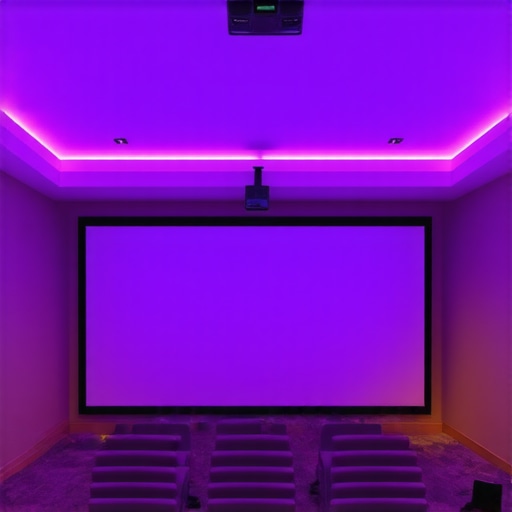
I’ll never forget the moment I realized my upcoming home theater project was doomed from the start—my screen looked dull, washed out, and completely unusable in my bright living room. It was that lightbulb moment when I understood that the type of material and gain of my projection screen weren’t just minor details—they were the backbone of a vibrant, crisp picture, especially in a challenging environment. If you’ve ever struggled with a screen that doesn’t deliver the brightness or contrast you want, you know how frustrating it can be. But here’s the good news: mastering the nuances of screen gain and material choices can completely transform your viewing experience in 2024. Today, I’m going to guide you through the essentials—so you don’t have to keep guessing why your projections fall flat.
Why Getting Screen Gain and Material Right Matters More Than Ever
In today’s world, where most of us are investing in larger screens and brighter projectors, choosing the right projection surface has become a make-or-break decision. Did you know that selecting an inappropriate screen material or gain can result in images that are too dim, overly reflective, or washed out? According to industry experts, a mismatch in screen gain and ambient lighting conditions can degrade picture quality significantly. It’s a common mistake I made early on—believing that any white screen would do the job, only to find out that in bright rooms, I was fighting a losing battle against ambient light. That experience pushed me to dive deep into understanding how different materials and gain levels influence image brightness, contrast, and color accuracy. And trust me, this knowledge is invaluable when designing a setup that works for your specific room environment. If you’re tired of investing in high-end projectors only to be disappointed by the screen’s performance, then you’re in the right place. We’ll uncover how to match your screen’s gain and material to your room’s lighting, size, and projector specifications—that’s a promise. For a comprehensive look, check out the expert guide on screen gain options—it’s packed with insights tailored for 2024.
Is a Higher Gain Screen Too Reflective for My Bright Room?
This is a question I hear all the time, and honestly, I used to think the same thing. The common assumption is that high gain equals glare and mirror-like reflections, making it unsuitable for bright environments. But the reality is more nuanced. The key is finding the right balance—some high gain surfaces are specifically designed to direct light efficiently toward the viewer without overwhelming the room. For example, screens with a gain of 2.0 or higher can be perfect for rooms with controlled lighting, especially if they incorporate advanced surface technologies. Early on, I made a mistake by dismissing those options entirely, opting instead for standard matte surfaces that simply couldn’t produce enough brightness. This simple error hampered my viewing quality. It wasn’t until I explored projections for bright rooms that I realized high gain isn’t a villain—it just needs to be implemented thoughtfully. So, if you’re concerned about reflections and glare, understand that the right high gain screen, combined with room-specific adjustments, can boost your image without introducing annoying hotspots or mirror effects. Ready to figure out what gain level is right for your setup? Let’s get started on practical solutions that work.”}]}>}#}#}#}#}#}#}#}#}#}#}#}#}#}#}#}#}#}#}#}#}#}#}#}#}#}#}#}#}#}#}#}#}#}#}#}#}#}#}#}#}#}#}#}#}#}#}#}#}#}#}#}#}#}#}#}#}#}#}#}#}#}#}#}#}#}#}#}#}#}#}#}#}#}#}#}#}#}#}#}#}#}#}#}#}#}#}#}#}#}#}#}#}#}#}#}#}#}#}#}#}#}#}#}#}#}#}#}#}#}#}#}#}#}#}#}#}#}#}#}#}#}#}#}#}#}#}#}#}#}#}#}#}#}#}#}#}#}#}#}#}#}#}#}#}#}#}#}#}#}#}#}#}#}#}#}#}#}#}#}#}#}#}#}#}#}#}#}#}#}#}#}#}#}#}#}#}#}#}#}#}#}#}#}#}#}#}#}#}#}#}#}#}#}#}#}#}#}#}#}#}#}#}#}#}#}#}#}#}#}#}#}#}#}#}#}#}#}#}#}#}#}#}#}#}#}#}#}#}#}#}#}#}#}#}#}#}#}#}#}#}#}#}#}#}#}#}#}#}#}#}#}#}#}#}#}#}#}#}#}#}#}#}#}#}#}#}#}#}#}#}#}#}#}#}#}#}#}#}#}#}#}#}#}#}#}#}#}#}#}#}#}#}#}#}#}#}#}#}#}#}#}#}#}#}#}#}#}#}#}#}#}#}#}#}#}#}#}#}#}#}#}#}#}#}#}#}#}#}#}#}#}#}#}#}#}#}#}#}#}#}#}#}#}#}#}#}#}#}#}#}#}#}#}#}#}#}#}#}#}#}#}#}#}#}#}#}#}#}#}#}#}#}#}#}#}#}#}#}#}#}#}#}#}#}#}#}#}#}#}#}#}#}#}#}#}#}#}#}#}#}#}#}#}#}#}#}#}#}#}#}#}#}#}#}#}#}#}#}#}#}#}#}#}#}#}#}#}#}#}#}#}#}#}#}#}#}#}#}#}#}#}#}#}#}#}#}#}#}#}#}#}#}#}#}#}#}#}#}#}#}#}#}#}#}#}#}#}#}#}#}#}#}#}#}#}#}#}#}#}#}#}#}#}#}#}#}#}#}#}#}#}#}#}#}#}#}#}#}#}#}#}#}#}#}#}#}#}#}#}#}#}#}#}#}#}#}#}#}#}#}#}#}#}#}#}#}#}#}#}#}#}#}#}#}#}#}#}#}#}#}#}#}#}#}#}#}#}#}#}#}#}#}#}#}#}#}#}#}#}#}#}#}#}#}#}#}#}#}#}#}#}#}#}#}#}#}#}#}#}#}#}#}#}#}#}#}#}#}#}#}#}#}#}#}#}#}#}#}#}#}#}#}#}#}#}#}#}#}#}#}#}#}#}#}#}#}#}#}#}#}#}#}#}#}#}#}#}#}#}#}#}#}#}#}#}#}#}#}#}#}#}#}#}#}#}#}#}#}#}#}#}#}#}#}#}#}#}#}#}#}#}#}#}#}#}#}#}#}#}#}#}#}#}#}#}#}#}#}#}#}#}#}#}#}#}#}#}#}#}#}#}#}#}#}#}#}#}#}#}#}#}#}#}#}#}#}#}#}#}#}#}#}#}#}#}#}#}#}#}#}#}#}#}#}#}#}#}#}#}#}#}#}#}#}#}#}#}#}#}#}#}#}#}#}#}#}#}#}#}#}#}#}#}#}#}#}#}#}#}#}#}#}#}#}#}#}#}#}#}#}#}#}#}#}#}#}#}#}#}#}#}#}#}#}#}#}#}#}#}#}#}#}#}#}#}#}#}#}#}#}#}#}#}#}#}#}#}#}#}#}#}#}#}#}#}#}#}#}#}#}#}#}#}#}#}#}#}#}#}#}#}#}#}#}#}#}#}#}#}#}#}#}#}#}#}#}#}#}#}#}#}#}#}#}#}#}#}#}#}#}#}#}#}#}#}#}#}#}#}#}#}#}#}#}#}#}#}#}#}#}#}#}#}#}#}#}#}#}#}#}#}#}#}#}#}#}#}#}#}#}#}#}#}#}#}#}#}#}#}#}#}#}#}#}#}#}#}#}#}#}#}#}#}#}#}#}#}#}#}#}#}#}#}#}#}#}#}#}#}#}#}#}#}#}#}#}#}#}#}#}#}#}#}#}#}#}#}#}#}#}#}#}#}#}#}#}#}#}#}#}#}#}#}#}#}#}#}#}#}#}#}#}#}#}#}#}#}#}#}#}#}#}#}#}#}#}#}#}#}#}#}#}#}#}#}#}#}#}#}#}#}#}#}#}#}#}#}#}#}#}#}#}#}#}#}#}#}#}#}#}#}#}#}#}#}#}#}#}#}#}#}#}#}#}#}#}#}#}#}#}#}#}#}#}#}#}#}#}#}#}#}#}#}#}#}#}#}#}#}#}#}#}#}#}#}#}#}#}#}#}#}#}#}#}#}#}#}#}#}#}#}#}#}#}#}#}#}#}#}#}#}#}#}#}#}#}#}#}#}#}#}#}#}#}#}#}#}#}#}#}#}#}#}#}#}#}#}#}#}#}#}#}#}#}#}#}#}#}#}#}#}#}#}#}#}#}#}#}#}#}#}#}#}#}#}#}#}#}#}#}#}#}#}#}#}#}#}#}#}#}#}#}#}#}#}#}#}#}#}#}#}#}#}#}#}#}#}#}#}#}#}#}#}#}#}#}#}#}#}#}#}#}#}#}#}#}#}#}#}#}#}#}#}#}#}#}#}#}#}#}#}#}#}#}#}#}#}#}#}#}#}#}#}#}#}#}#}#}#}#}#}#}#}#}#}#}#}#}#}#}#}#}#}#}#}#}#}#}#}#}#}#}#}#}#}#}#}#}#}#}#}#}#}#}#}#}#}#}#}#}#}#}#}#}#}#}#}#}#}#}#}#}#}#}#}#}#}#}#}#}#}#}#}#}#}#}#}#}#}#}#}#}#}#}#}#}#}#}#}#}#}#}#}#}#}#}#}#}#}#}#}#}#}#}#}#}#}#}#}#}#}#}#}#}#}#}#}#}#}#}#}#}#}#}#}#}#}#}#}#}#}#}#}#}#}#}#}#}#}#}#}#}#}#}#}#}#}#}#}#}#}#}#}#}#}#}#}#}#}#}#}#}#}#}#}#}#}#}#}#}#}#}#}#}#}#}#}#}#}#}#}#}#}#}#}#}#}#}#}#}#}#}#}#}#}#}#}#}#}#}#}#}#}#}#}#}#}#}#}#}#}#}#}#}#}#}#}#}#}#}#}#}#}#}#}#}#}#}#}#}#}#}#}#}#}#}#}#}#}#}#}#}#}#}#}#}#}#}#}#}#}#}#}#}#}#}#}#}#}#}#}#}#}#}#}#}#}#}#}#}#}#}#}#}#}#}#}#}#}#}#}#}#}#}#}#}#}#}#}#}#}#}#}#}#}#}#}#}#}#}#}#}#}#}#}#}#}#}#}#}#}#}#}#}#}#}#}#}#}#}#}#}#}#}#}#}#}#}#}#}#}#}#}#}#}#}#}#}#}#}#}#}#}#}#}#}#}#}#}#}#}#}#}#}#}#}#}#}#}#}#}#}#}#}#}#}#}#}#}#}#}#}#}#}#}#}#}#}#}#}#}#}#}#}#}#}#}#}#}#}#}#}#}#}#}#}#}#}#}#}#}#}#}#}#}#}#}#}#}#}#}#}#}#}#}#}#}#}#}#}#}#}#}#}#}#}#}#}#}#}#}#}#}#}#}#}#}#}#}#}#}#}#}#}#}#}#}#}#}#}#}#}#}#}#}#}#}#}#}#}#}#}#}#}#}#}#}#}#}#}#}#}#}#}#}#}#}#}#}#}#}#}#}#}#}#}#}#}#}#}#}#}#}#}#}#}#}#}#}#}#}#}#}#}#}#}#}#}#}#}#}#}#}#}#}#}#}#}#}#}#}#}#}#}#}#}#}#}#}#}#}#}#}#}#}#}#}#}#}#}#}#}#}#}#}#}#}#}#}#}#}#}#}#}#}#}#}#}#}#}#}#}#}#}#}#}#}#}#}#}#}#}#}#}#}#}#}#}#}#}#}#}#}#}#}#}#}#}#}#}#}#}#}#}#}#}#}#}#}#}#}#}#}#}#}#}#}#}#}#}#}#}#}#}#}#}#}#}#}#}#}#}#}#}#}#}#}#}#}#}#}#}#}#}#}#}#}#}#}#}#}#}#}#}#}#}#}#}#}#}#}#}#}#}#}#}#}#}#}#}#}#}#}#}#}#}#}#}#}#}#}#}#}#}#}#}#}#}#}#}#}#}#}#}#}#}#}#}#}#}#}#}#}#}#}#}#}#}#}#}#}#}#}#}#}#}#}#}#}#}#}#}#}#}#}#}#}#}#}#}#}#}#}#}#}#}#}#}#}#}#}#}#}#}#}#}#}#}#}#}#}#}#}#}#}#}#}#}#}#}#}#}#}#}#}#}#}#}#}#}#}#}#}#}#}#}#}#}#}#}#}#}#}#}#}#}#}#}#}#}#}#}#}#}#}#}#}#}#}#}#}#}#}#}#}#}#}#}#}#}#}#}#}#}#}#}#}#}#}#}#}#}#}#}#}#}#}#}#}#}#}#}#}#}#}#}#}#}#}#}#}#}#}#}#}#}#}#}#}#}#}#}#}#}#}#}#}#}#}#}#}#}#}#}#}#}#}#}#}#}#}#}#}#}#}#}#}#}#}#}#}#}#}#}#}#}#}#}#}#}#}#}#}#}#}#}#}#}#}#}#}#}#}#}#}#}#}#}#}#}#}#}#}#}#}#}#}#}#}#}#}#}#}#}#}#}#}#}#}#}#}#}#}#}#}#}#}#}#}#}#}#}#}#}#}#}#}#}#}#}#}#}#}#}#}#}#}#}#}#}#}#}#}#}#}#}#}#}#}#}#}#}#}#}#}#}#}#}#}#}#}#}#}#}#}#}#}#}#}#}#}#}#}#}#}#}#}#}#}#}#}#}#}#}#}#}#}#}#}#}#}#}#}#}#}#}#}#}#}#}#}#}#}#}#}#}#}#}#}#}#}#}#}#}#}#}#}#}#}#}#}#}#}#}#}#}#}#}#}#}#}#}#}#}#}#}#}#}#}#}#}#}#}#}#}#}#}#}#}#}#}#}#}#}#}#}#}#}#}#}#}#}#}#}#}#}#}#}#}#}#}#}#}#}#}#}#}#}#}#}#}#}#}#}#}#}#}#}#}#}#}#}#}#}#}#}#}#}#}#}#}#}#}#}#}#}#}#}#}#}#}#}#}#}#}#}#}#}#}#}#}#}#}#}#}#}#}#}#}#}#}#}#}#}#}#}#}#}#}#}#}#}#}#}#}#}#}#}#}#}#}#}#}#}#}#}#}#}#}#}#}#}#}#}#}#}#}#}#}#}#}#}#}#}#}#}#}#}#}#}#}#}#}#}#}#}#}#}#}#}#}#}#}#}#}#}#}#}#}#}#}#}#}#}#}#}#}#}#}#}#}#}#}#}#}#}#}#}#}#}#}#}#}#}#}#}#}#}#}#}#}#}#}#}#}#}#}#}#}#}#}#}#}#}#}#}#}#}#}#}#}#}#}#}#}#}#}#}#}#}#}#}#}#}#}#}#}#}#}#}#}#}#}#}#}#}#}#}#}#}#}#}#}#}#}#}#}#}#}#}#}#}#}#}#}#}#}#}#}#}#}#}#}#}#}#}#}#}#}#}#}#}#}#}#}#}#}#}#}#}#}#}#}#}#}#}#}#}#}#}#}#}#}#}#}#}#}#}#}#}#}#}#}#}#}#}#}#}#}#}#}#}#}#}#}#}#}#}#}#}#}#}#}#}#}#}#}#}#}#}#}#}#}#}#}#}#}#}#}#}#}#}#}#}#}#}#}#}#}#}#}#}#}#}#}#}#}#}#}#}#}#}#}#}#}#}#}#}#}#}#}#}#}#}#}#}#}#}#}#}#}#}#}#}#}#}#}#}#}#}#}#}#}#}#}#}#}#}#}#}#}#}#}#}#}#}#}#}#}#}#}#}#}#}#}#}#}#}#}#}#}#}#}#}#}#}#}#}#}#}#}#}#}#}#}#}#}#}#}#}#}#}#}#}#}#}#}#}#}#}#}#}#}#}#}#}#}#}#}#}#}#}#}#}#}#}#}#}#}#}#}#}#}#}#}#}#}#}#}#}#}#}#}#}#}#}#}#}#}#}#}#}#}#}#}#}#}#}#}#}#}#}#}#}#}#}#}#}#}#}#}#}#}#}#}#}#}#}#}#}#}#}#}#}#}#}#}#}#}#}#}#}#}#}#}#}#}#}#}#}#}#}#}#}#}#}#}#}#}#}#}#}#}#}#}#}#}#}#}#}#}#}#}#}#}#}#}#}#}#}#}#}#}#}#}#}#}#}#}#}#}#}#}#}#}#}#}#}#}#}#}#}#}#}#}#}#}#}#}#}#}#}#}#}#}#}#}#}#}#}#}#}#}#}#}#}#}#}#}#}#}#}#}#}#}#}#}#}#}#}#}#}#}#}#}#}#}#}#}#}#}#}#}#}#}#}#}#}#}#}#}#}#}#}#}#}#}#}#}#}#}#}#}#}#}#}#}#}#}#}#}#}#}#}#}#}#}#}#}#}#}#}#}#}#}#}#}#}#}#}#}#}#}#}#}#}#}#}#}#}#}#}#}#}#}#}#}#}#}#}#}#}#}#}#}#}#}#}#}#}#}#}#}#}#}#}#}#}#}#}#}#}#}#}#}#}#}#}#}#}#}#}#}#}#}#}#}#}#}#}#}#}#}#}#}#}#}#}#}#}#}#}#}#}#}#}#}#}#}#}#}#}#}#}#}#}#}#}#}#}#}#}#}#}#}#}#}#}#}#}#}#}#}#}#}#}#}#}#}#}#}#}#}#}#}#}#}#}#}#}#}#}#}#}#}#}#}#}#}#}#}#}#}#}#}#}#}#}#}#}#}#}#}#}#}#}#}#}#}#}#}#}#}#}#}#}#}#}#}#}#}#}#}#}#}#}#}#}#}#}#}#}#}#}#}#}#}#}#}#}#}#}#}#}#}#}#}#}#}#}#}#}#}#}#}#}#}#}#}#}#}#}#}#}#}#}#}#}#}#}#}#}#}#}#}#}#}#}#}#}#}#}#}#}#}#}#}#}#}#}#}#}#}#}#}#}#}#}#}#}#}#}#}#}#}#}#}#}#}#}#}#}#}#}#}#}#}#}#}#}#}#}#}#}#}#}#}#}#}#}#}#}#}#}#}#}#}#}#}#}#}#}#}#}#}#}#}#}#}#}#}#}#}#}#}#}#}#}#}#}#}#}#}#}#}#}#}#}#}#}#}#}#}#}#}#}#}#}#}#}#}#}#}#}#}#}#}#}#}#}#}#}#}#}#}#}#}#}#}#}#}#}#}#}#}#}#}#}#}#}#}#}#}#}#}#}#}#}#}#}#}#}#}#}#}#}#}#}#}#}#}#}#}#}#}#}#}#}#}#}#}#}#}#}#}#}#}#}#}#}#}#}#}#}#}#}#}#}#}#}#}#}#}#}#}#}#}#}#}#}#}#}#}#}#}#}#}#}#}#}#}#}#}#}#}#}#}#}#}#}#}#}#}#}#}#}#}#}#}#}#}#}#}#}#}#}#}#}#}#}#}#}#}#}#}#}#}#}#}#}#}#}#}#}#}#}#}#}#}#}#}#}#}#}#}#}#}#}#}#}#}#}#}#}#}#}#}#}#}#}#}#}#}#}#}#}#}#}#}#}#}#}#}#}#}#}#}#}#}#}#}#}#}#}#}#}#}#}#}#}#}#}#}#}#}#}#}#}#}#}#}#}#}#}#}#}#}#}#}#}#}#}#}#}#}#}#}#}#}#}#}#}#}#}#}#}#}#}#}#}#}#}#}#}#}#}#}#}#}#}#}#}#}#}#}#}#}#}#}#}#}#}#}#}#}#}#}#}#}#}#}#}#}#}#}#}#}#}#}#}#}#}#}#}#}#}#}#}#}#}#}#}#}#}#}#}#}#}#}#}#}#}#}#}#}#}#}#}#}#}#}#}#}#}#}#}#}#}#}#}#}#}#}#}#}#}#}#}#}#}#}#}#}#}#}#}#}#}#}#}#}#}#}#}#}#}#}#}#}#}#}#}#}#}#}#}#}#}#}#}#}#}#}#}#}#}#}#}#}#}#}#}#}#}#}#}#}#}#}#}#}#}#}#}#}#}#}#}#}#}#}#}#}#}#}#}#}#}#}#}#}#}#}#}#}#}#}#}#}#}#}#}#}#}#}#}#}#}#}#}#}#}#}#}#}#}#}#}#}#}#}#}#}#}#}#}#}#}#}#}#}#}#}#}#}#}#}#}#}#}#}#}#}#}#}#}#}#}#}#}#}#}#}#}#}#}#}#}#}#}#}#}#}#}#}#}#}#}#}#}#}#}#}#}#}#}#}#}#}#}#}#}#}#}#}#}#}#}#}#}#}#}#}#}#}#}#}#}#}#}#}#}#}#}#}#}#}#}#}#}#}#}#}#}#}#}#}#}#}#}#}#}#}#}#}#}#}#}#}#}#}#}#}#}#}#}#}#}#}#}#}#}#}#}#}#}#}#}#}#}#}#}#}#}#}#}#}#}#}#}#}#}#}#}#}#}#}#}#}#}#}#}#}#}#}#}#}#}#}#}#}#}#}#}#}#}#}#}#}#}#}#}#}#}#}#}#}#}#}#}#}#}#}#}#}#}#}#}#}#}#}#}#}#}#}#}#}#}#}#}#}#}#}#}#}#}#}#}#}#}#}#}#}#}#}#}#}#}#}#}#}#}#}#}#}#}#}#}#}#}#}#}#}#}#}#}#}#}#}#}#}#}#}#}#}#}#}#}#}#}#}#}#}#}#}#}#}#}#}#}#}#}#}#}#}#}#}#}#}#}#}#}#}#}#}#}#}#}#}#}#}#}#}#}#}#}#}#}#}#}#}#}#}#}#}#}#}#}#}#}#}#}#}#}#}#}#}#}#}#}#}#}#}#}#}#}#}#}#}#}#}#}#}#}#}#}#}#}#}#}#}#}#}#}#}#}#}#}#}#}#}#}#}#}#}#}#}#}#}#}#}#}#}#}#}#}#}#}#}#}#}#}#}#}#}#}#}#}#}#}#}#}#}#}#}#}#}#}#}#}#}#}#}#}#}#}#}#}#}#}#}#}#}#}#}#}#}#}#}#}#}#}#}#}#}#}#}#}#}#}#}#}#}#}#}#}#}#}#}#}#}#}#}#}#}#}#}#}#}#}#}#}#}#}#}#}#}#}#}#}#}#}#}#}#}#}#}#}#}#}#}#}#}#}#}#}#}#}#}#}#}#}#}#}#}#}#}#}#}#}#}#}#}#}#}#}#}#}#}#}#}#}#}#}#}#}#}#}#}#}#}#}#}#}#}#}#}#}#}#}#}#}#}#}#}#}#}#}#}#}#}#}#}#}#}#}#}#}#}#}#}#}#}#}#}#}#}#}#}#}#}#}#}#}#}#}#}#}#}#}#}#}#}#}#}#}#}#}#}#}#}#}#}#}#}#}#}#}#}#}#}#}#}#}#}#}#}#}#}#}#}#}#}#}#}#}#}#}#}#}#}#}#}#}#}#}#}#}#}#}#}#}#}#}#}#}#}#}#}#}#}#}#}#}#}#}#}#}#}#}#}#}#}#}#}#}#}#}#}#}#}#}#}#}#}#}#}#}#}#}#}#}#}#}#}#}#}#}#}#}#}#}#}#}#}#}#}#}#}#}#}#}#}#}#}#}#}#}#}#}#}#}#}#}#}#}#}#}#}#}#}#}#}#}#}#}#}#}#}#}#}#}#}#}#}#}#}#}#}#}#}#}#}#}#}#}#}#}#}#}#}#}#}#}#}#}#}#}#}#}#}#}#}
Pick the Right Material for Your Room’s Brightness
To ensure vibrant images in a bright room, choose materials engineered to maximize light reflectivity without causing glare. Matte surfaces with specialized coatings can reduce hotspots while boosting brightness. I once swapped my standard white screen for a high-gain ALR (Ambient Light Rejecting) material during a home renovation. The result was immediate—crisp, bright images despite the sunlight pouring in. When selecting, consider materials like these that are designed explicitly for high ambient light conditions, and always check the expert guide on screen gain options to avoid overshooting your room’s needs.
Measure Your Space and Match the Gain
Understanding your room size and projector lumen output is crucial. A larger space or higher lumen projector requires a higher gain screen to deliver visible, bright images. Think of gain as the screen’s light-collecting capacity—like a satellite dish catching signals. If you mistakenly pair a low-gain screen with a powerful projector in a bright room, your picture will look dull. For example, in my prior setup, I measured my wall dimensions and calculated the optimal gain using the size and gain guidelines. You can avoid guessing by using these precise formulas—like tuning a guitar string—to match your environment perfectly.
Assess Room Lighting and Reflectivity
Identify how much ambient light your room receives. Is it bright with windows and skylights? Or covered with blackout curtains? To simulate this, I employed a simple flashlight in different parts of my room to see how light bounces off the surfaces. If reflections are intense, opt for an ALR screen with a gain above 2.0, which directs reflected light away from viewers—kind of like a directional antenna focusing signals. Refer to the latest tips for bright rooms to pick the right surface technology.
Test with Your Equipment Before Final Installation
Always trial your setup before final mounting. Use your projector’s highest settings and prime viewing content. During my last experiment, I projected onto a temporary surface and adjusted the projector’s keystone and zoom, mimicking real use. This revealed that even the best material could underperform if positioned incorrectly or if gain mismatched. Consider using calibration tools or apps to measure actual luminance and contrast, ensuring your choices will hold up in practical scenarios, not just theoretical ones.
Fine-Tune Your Brightness Strategy
Experiment with ambient light control—like adding curtains, dimmers, or baffle panels—and adjust your projector settings accordingly. Think of your screen as the canvas; the projector is the brush, and room lighting is the palette. When I added blackout curtains, I found I could work with a slightly lower gain surface, which reduced glare and hotspots, providing a smoother viewing experience. For more detailed recommendations on gain and size pairing, browse the comprehensive guide.
Many enthusiasts assume that selecting a projection screen is straightforward—just pick a white surface and go. However, this oversimplification misses critical nuances that can drastically affect your viewing experience. For example, a common myth is that higher screen gain always translates to better brightness. In reality, overshooting the gain can cause hotspots and glare, especially in rooms with ambient light. The misconception is that maximum gain equals maximum performance, but experts warn that pairing high-gain screens without considering room environment and projector specs can lead to unintended glare and contrast issues. According to a recent industry study, improper gain selection is one of the top causes of subpar home theater visuals, undermining even the best projectors.
Why does assumption about screen material and gain often backfire?
Well, many people overlook how different materials reflect light and how gain concentrates that reflection. For instance, matte materials with specialized coatings can reduce hot spotting while improving ambient light handling, a fact detailed in the complete guide to screen material gain. When selecting a screen, understanding that the physical properties—like surface texture and reflectivity—play a pivotal role is essential. An advanced mistake is choosing a size based solely on room dimensions without considering the viewer’s seating position and ambient lighting, leading to compromised contrast and brightness. Instead, using formulas and expert recommendations ensures an optimal match, which can be explored in depth through size and gain calculations for optimal setup. Moreover, many overlook the impact of projection technology—bright rooms may need special materials with higher gain or ALR surfaces, which direct light efficiently. Making this mistake is a hidden pitfall that often results in dull or washed-out images, diminishing your investment in high-end equipment. To avoid this, carefully analyze your room’s lighting conditions and choose an ALR screen with the right gain, guided by expert insights and real-world testing. And don’t forget—testing different materials and sizes before committing can save you the hassle of costly mistakes later. Once you’re aware of these nuances, you’ll be better equipped to select the perfect setup that elevates your home theater experience. Have you ever fallen into this trap? Let me know in the comments.
Tools That Keep Your Home Theater Screen Running Smoothly
Maintaining a high-quality projection screen isn’t a one-and-done task; it requires specific tools and regular attention to ensure optimal performance over time. I personally rely on some key equipment that helps me keep my setup in pristine condition. First, a microfiber cloth combined with a gentle, pH-neutral cleaner is essential for cleaning the surface without scratching or damaging delicate coatings. I prefer using a dedicated screen-cleaning spray formulated specifically for projection surfaces, such as those recommended in industry guides here. Regular cleaning prevents dust and fingerprints from degrading image quality.
Next, a portable aspirator or compressed air can help remove dust buildup from edges and crevices without risking damage. I’ve found that dust particles can cause hotspots or reduce contrast if they accumulate over time. For deep cleaning, some recommend using a soft, lint-free cloth slightly dampened—never wet—to wipe the surface, avoiding excess moisture which can damage certain materials. Tip: Always turn off your projector and unplug the screen before cleaning to prevent any accidental damage.
Invest in Consistent Calibration
In addition to physical maintenance, software tools play a critical role in long-term performance. I use a colorimeter, such as the X-Rite i1Display Pro, paired with calibration software like CalMAN or DisplayCal, to periodically verify and adjust my projector’s color and brightness settings. Regular calibration ensures the image remains vibrant and true to content, compensating for bulb aging or environmental changes. According to this expert guide, recalibrating every 6 to 12 months is a good practice for maintaining consistent image quality.
Calibration isn’t just for the projector—it can also include adjusting ambient light levels and room reflectivity to complement your screen’s characteristics. As my room’s lighting conditions evolve, updating these settings keeps my image crisp and contrast-rich, especially when employing high-gain ALR surfaces.
Planning for Future Upgrades and Scalability
Thinking ahead, I recommend choosing tools that can grow with your setup. For instance, a portable calibration device can be used across multiple projectors or screens, saving you money and time in the future. Also, investing in high-quality cleaning supplies extends the lifespan of your screen’s surface coatings. As projection technology advances, adding features like motorized masking or automated calibration systems will become more commonplace, simplifying maintenance further.
How do I maintain my screen to last for years?
Beyond cleaning and calibration, protecting your investment involves controlling environmental factors—avoiding high humidity, direct sunlight, and physical impacts. Using a dedicated cover or transport case for your screen when not in use further prolongs its lifespan. Regularly inspecting for signs of wear or damage allows for early intervention, saving you money and preserving image quality. The trend toward smart, self-correcting projection surfaces suggests that future tools may include built-in sensors that alert you to the need for cleaning or calibration—making maintenance even easier. But for now, armed with precise tools and a routine schedule, you can keep your projection setup working flawlessly for years to come. Don’t forget to regularly check out industry resources like this comprehensive guide to update your maintenance practices and stay ahead in your home theater game. Picking one of these advanced maintenance tips—like establishing a regular calibration schedule—will ensure you enjoy sharp, vibrant images for a long time. Why not give it a try today? Your future self will thank you.
What I Wish I Knew When Picking My Home Theater Screen
One of the toughest lessons I learned was that not all screens are created equal—especially regarding gain and material—in lighting environments I thought I understood. I once opted for a standard matte white surface, only to realize it struggled in my bright living room. The lightbulb moment? When I discovered that high-gain, specially coated materials could drastically improve brightness and contrast, tailored to my room’s needs. These insights came after countless experiments and failures, but they taught me that understanding the subtleties of screen surface science yields incredible results.
My Essential Tools for a Vibrant Projection Experience
I rely on a small arsenal of tools: a microfiber cloth and gentle cleaner for surface maintenance, a colorimeter like the X-Rite i1Display Pro for calibration, and a flashlight for quick ambient light tests. These have been game-changers in preserving my setup’s clarity. Equally critical is a thorough understanding of how different materials respond to ambient light, guiding me toward choosing surfaces that amplify brightness without glare. For deeper insights, the complete guide on screen gain and materials remains my go-to resource for strategic upgrades.
Your Projection Journey Starts Today
Embarking on your journey to the perfect home theater setup is both exciting and rewarding. With a clear understanding of how screen gain and material choices influence your environment, you’re empowered to make smarter decisions. Don’t hesitate—test different surfaces, measure your room lighting conditions, and calibrate your projector regularly. These small steps will lead to big improvements in your viewing experience. Remember, the key is to tailor your setup—not just to current needs, but to future upgrades and evolving technology. Your ideal projection environment is within reach—step into it today!